
Setup, Design & Observations
The Arous Thunder K7 will work out the box via a single USB 2.0 port and does not necessarily require the software installation, though for use of custom macros with the macropad, the software is a must.
Out the box the keyboard will run using 6 key rollover, to swap this to NKRO, press 'FN + G' to enable game mode. Though it claims to be full NKRO, it is actually only 64 key rollover, though this level of anti-ghosting is more than adequate. To change it back to 6KRO, press 'FN + N' for normal mode. It is worth noting that the macropad is always in 6KRO mode.
The macropad magnetically slots into place on either side and has a locking shape that prevents it from sliding out of place, the wrist rest too, uses a similar magnetic feature so slot into place, though is more prone to sliding left and right.
The keyboard itself is comfortable to use with or without the wrist rest, and though not being padded, the curved shape of the wrist rest felt nice. The UV treated key caps felt solid and high quality to press and the use of CHERRY MX Red switches gives a smooth, quiet typing/gaming experience. It is a shame that it is only available with MX Red as it restricts people's preferences.
The brightness/ volume wheels feel good, like a quality mouse wheel, and the brightness of the macropad and keyboard can be individually varied. The cheapest aspect of the Thunder K7 seems the profile toggle button on the macropad, which is just a slab of plastic and could have been implemented a bit better.
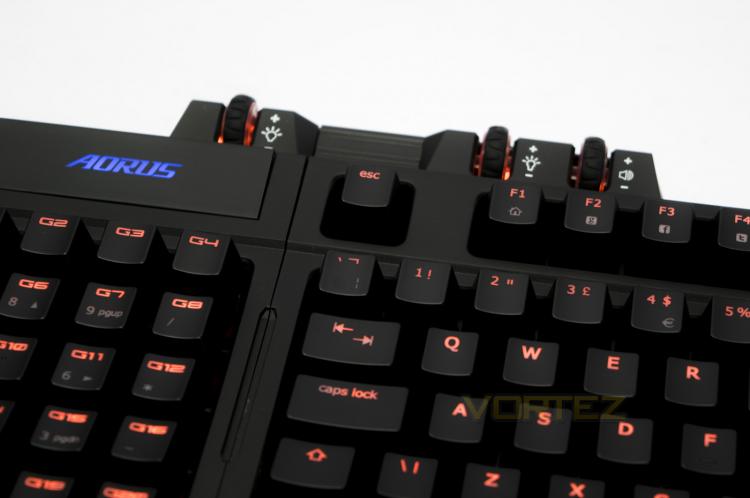
Using the keyboard in the gaming orientation (macropad on the left) you really benefit from a more comfortable mouse position due to the opened up space allowance, as you would expect from a TKL keyboard. This extra mouse space, if you haven't experienced it, can really liberate your movements in high speed games. This extends even futher if you remap your controls onto the macropad and use it as the 20% stand alone. Though in use, I felt that the magnetic attachment on the USB cable could have been stronger or maybe have a re-enforced clip function to prevent the cable from detaching, while it never became a problem for me in use, it just seemed like a possibility. Due to how easy it is to remap the keys on the macropad, I would have liked to have seen a mini transport pouch included as this would make an awesome statement to lan gamers. Despite the fantastic gaming experience, there was another gripe that I picked up with the macropad, and that is, it doesn't directly act like a numpad in its default profile. This was observed by failing in all my attempts to input various ALT-codes with the macropad to write down various symbols.


