
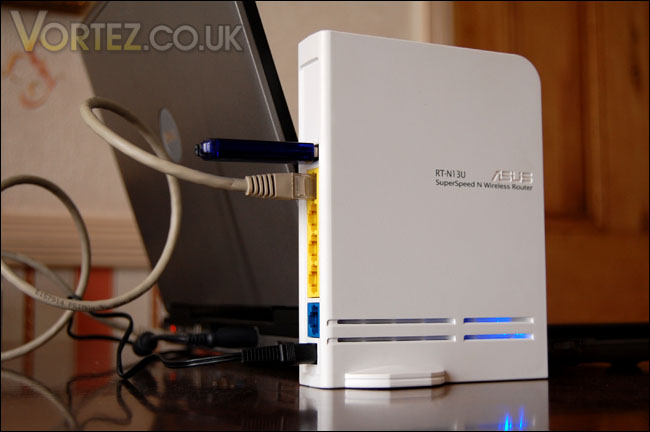
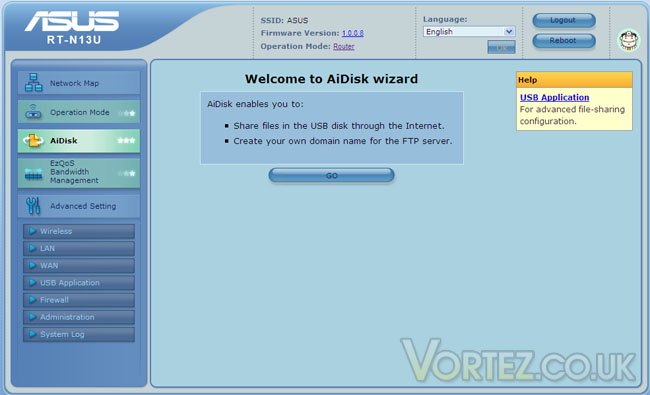
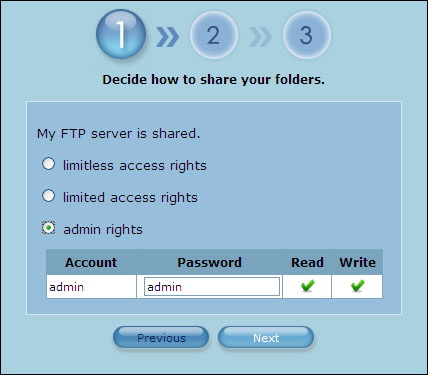
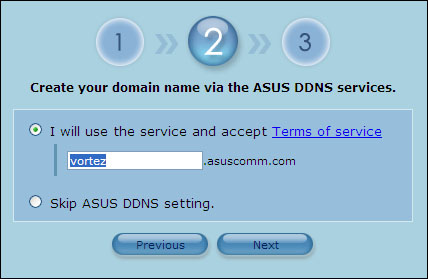
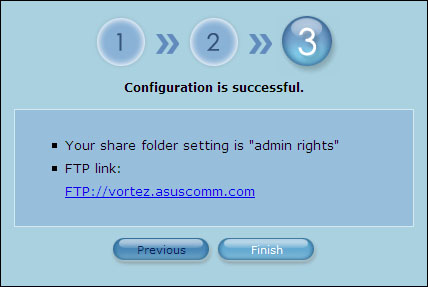
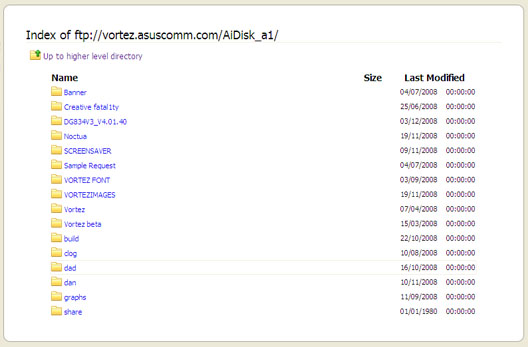
Now we come to one of my favourite features of the Asus RT-N13U. The AiDisk is a feature that allows you to create an FTP server along-side your router. By plugging in a USB device such as a pen drive or external HDD and following the wizard you can create a domain and access files when you are away from home. All you need to make sure is that the router is switched on, there is no need for your computer to be switched on. This makes accessing those necessary files possible and without the need to mess about with getting others at home to switch on the computer and send files. The wizard will take literally only take a moment to complete and within minutes you can have your FTP server setup. A truly amazing feature, 24/7 access to your files – wherever, whenever. Below is each stage of the wizard.
Print Server
The print server is also a very hand feature that can be setup in minutes. All you have to do is plug the USB lead into the back of the router, launch the print server installation from off the Asus CD and away you go. This is particularly useful for me as I do not have a printer installed on any of my computers; the printer is installed on another machine in the house. Every time I need to print I need to switch this computer on. This feature takes away that need, I can simply have the printer plugged into the RT-N13U wireless router and the printer is now accessible. Superb!
Download Master
Yet another feature – it seems that the Asus RT-N13U is loaded with helpful features. This last feature that I will be commenting on is a very handy one. It allows you to drag and drop .torrent files into a download manager. Not only does this allow for these types of files but also HTTP and FTP.
Print Server
The print server is also a very hand feature that can be setup in minutes. All you have to do is plug the USB lead into the back of the router, launch the print server installation from off the Asus CD and away you go. This is particularly useful for me as I do not have a printer installed on any of my computers; the printer is installed on another machine in the house. Every time I need to print I need to switch this computer on. This feature takes away that need, I can simply have the printer plugged into the RT-N13U wireless router and the printer is now accessible. Superb!
Download Master
Yet another feature – it seems that the Asus RT-N13U is loaded with helpful features. This last feature that I will be commenting on is a very handy one. It allows you to drag and drop .torrent files into a download manager. Not only does this allow for these types of files but also HTTP and FTP.


