
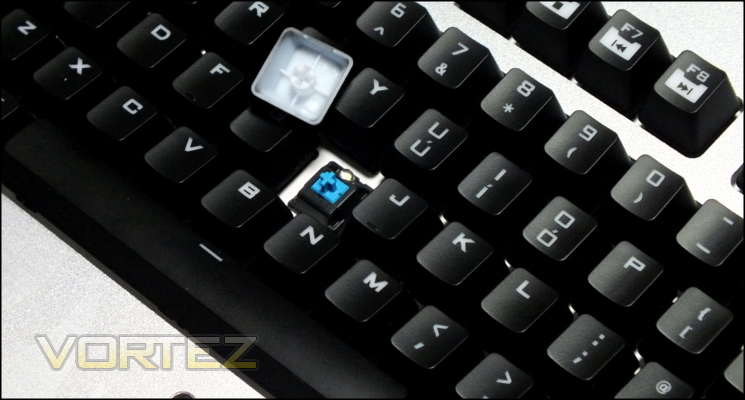
Levering off a keycap with the supplied keycap remover reveals the Cherry MX Blue switch which this model uses. An excellent primer for Cherry MX switch types is available at the Deskthority Wiki and suffice it to say that MX Blues differ quite substantially from the MX Reds of the mechanical keyboards we have reviewed most recently. MX Blues are clicky, tactile switches, meaning that for any keystroke they click when the actuation point is passed and you feel a brief resistance. MX Blues have the same actuation force as Reds, but the distinct feel compared to linear switch types will take some getting used to. Each key on the MECH has this mechanical switch, including the dedicated macro keys function keys.
MECH keycaps have a black paint which tends to be a little more sweat and grime resistant than some others and lettering which is etched out of the paint to reveal the white translucent plastic below. Through this the LED built into each switch's housing will shine when illuminated, and the lettering itself is extremely sharp. We anticipate excellent long-term durability from the keycaps
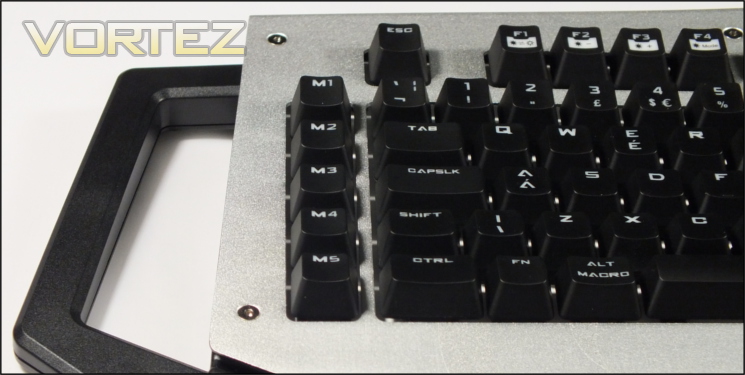
The MECH holds few surprises in terms of layout, which may well prove to be wise when considering how odd it is otherwise; a standard UK keyset is bolstered by five dedicated macro keys named M1-M5 on the left. F5 - F11 double as standard media keys in conjunction with the FN modifier key, with other Function keys also doubling as keyboard LED and Windows Lock controls. Due to the overall size of the chassis however the keyboard is not in any way compact - measuring 560 x 270mm it’s definitely on the large side.
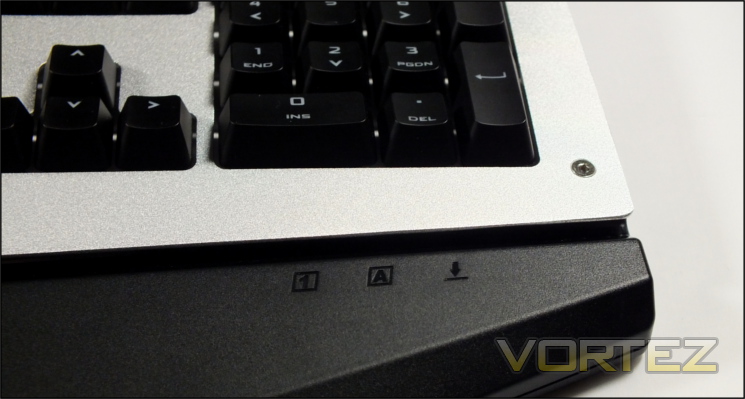
The Capslock, Scroll-lock and Numlock LEDs are recessed underneath the aluminium faceplate, becoming visable when reflected off the gloss plastic channel which runs the length of the keyboard. This channel is where dust and other particulates will tend to gather and will necessitate a fairly regular clean.
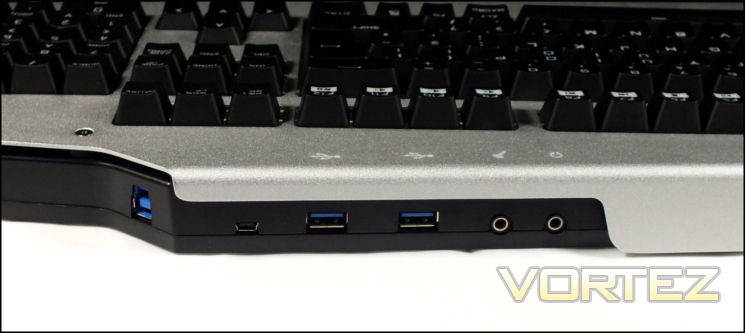
Located at the rear are the six connectors which allow the MECH to act as a peripheral hub. The on-board USB soundcard presents a headphone out and microphone in; not merely a passthrough from your PC, it will register as a discrete device in Windows audio properties. Next to them are two USB 3.0 ports, intended for any USB device including external storage, mice etc. Further along is is a micro-USB port; not mentioned on the packaging, it’s intended as a charging port for compatible devices. Four icons indicating the location of corresponding ports are etched into the faceplate so they can be located whilst seated.
Some way divorced from the other connectors is the USB 3.0-B port which connects the keyboard to the PC via the supplied USB cable. The cable will be angled to the right (as you look down) when plugged in; the keyboard is therefore naturally positioned to the left of your PC chassis. In general a ~1.5m cable should be ample no matter your particular setup, but in a pinch a longer one could be acquired separately. Unsurprisingly the included USB3.0 cable is thicker than the average, allow it to carry more current at safe levels than the usual USB 3.0 cable; it's not braided however, instead being sheathed in a durable rubber.
Dotted around the keyboard are seven screws with hex-key heads. By unscrewing each of these you will be able to lift-off the faceplate and gain access to the backplate underneath. Obviously the faceplate concept itself has customisation potential, but it will also make cleaning the keyboard much more simple than it would otherwise be.
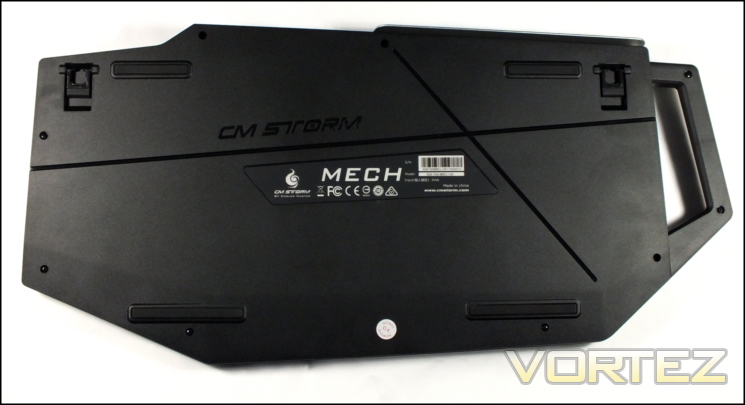
Four substantial rubber pads on the base of the keyboard hold it in place on a desk when in a low profile configuration. Two extendible feat angle the keyboard another five degree approximately, and both are also rubberised to ensure that it the keyboard stays still even when in this position. The ever so slightly disappointing part is the there are no recesses for cables, a feature we came to appreciate on the CM Storm Quickfire TK when routing headset cables especially.
General build quality is once again up to CM Storm's high standards. The keyboard backplate has no flex to it, and the chassis itself is extremely firm. A textured finish for the aluminium aluminium faceplate is exceptional and should serve to mask any potential problems with fingerprints. Finally even the screws have a mirror shine.


