
The software bundled with the CM Storm Sentinel Advance has a nice GUI and is very helpful in allowing you to manage the mouse. The GUI allows you to customize the profile settings, colour schemes, DPI settings, macros and of course button functions. But there are also a stack of other options that you can control such as double click speed, button response time. One of the brilliant things about the software here is that you can choose the lighting on the top of the mouse and the bottom, so I could choose to make the lighting pink on the top of the mouse and then on the lights at the bottom have blue. This is what we call true customization, being able to do exactly what you wish. There's virtually no boundaries with the Sentinel Advance.
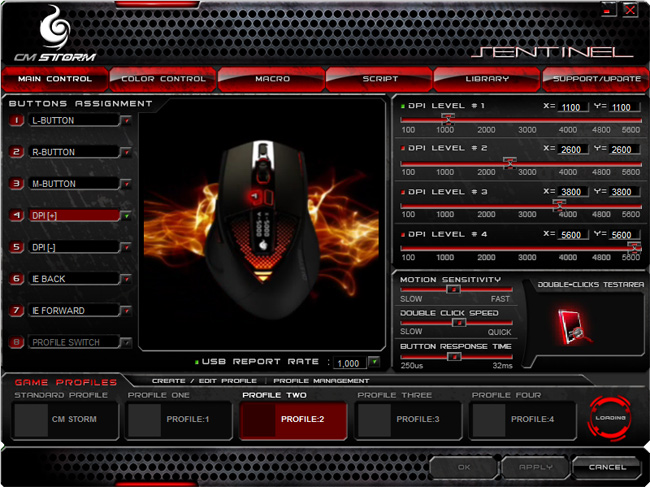
A fully customizable GUI
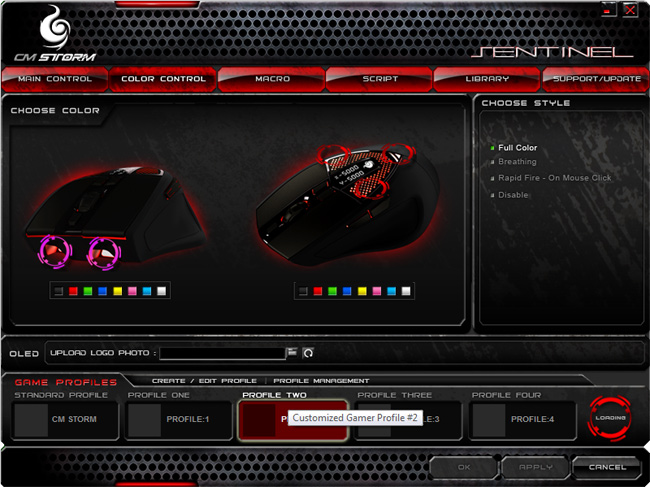
Not only can you change the colour of the top, but also the bottom
From the photograph of the OLED display that I have taken you can see the CM Storm logo there, but what the software with this mouse allows you to do is upload your very own BMP logo, this is a great little idea to add some character and personalization to the Sentinel Advance and whilst the image can only be black and white, going forward this idea is going to lend itself to future mice I can tell.
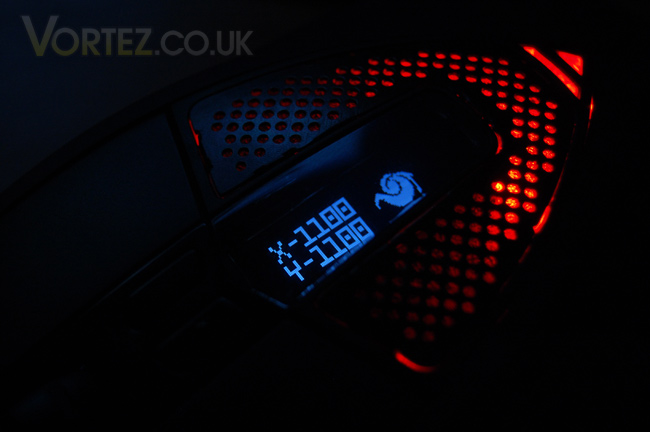
The OLED display on the Sentinel Advance
Performance
The Sentinel Advance is a very responsive gaming peripheral, everything you can expect from a premium gaming mouse is right there. The button placements are decent enough and the configuration at default is easily playable, but because of the above software if you happen to want to change things - you can, with ease.
It's quite a large, bulky type of mouse so if you have small hands this may not be the best mouse for you. But medium to large handed people will really enjoy this - it fits into the hand really nicely and the textures are pleasant.
Bottom-line: It looks great, and it performs great!
A fully customizable GUI
Not only can you change the colour of the top, but also the bottom
From the photograph of the OLED display that I have taken you can see the CM Storm logo there, but what the software with this mouse allows you to do is upload your very own BMP logo, this is a great little idea to add some character and personalization to the Sentinel Advance and whilst the image can only be black and white, going forward this idea is going to lend itself to future mice I can tell.
The OLED display on the Sentinel Advance
Performance
The Sentinel Advance is a very responsive gaming peripheral, everything you can expect from a premium gaming mouse is right there. The button placements are decent enough and the configuration at default is easily playable, but because of the above software if you happen to want to change things - you can, with ease.
It's quite a large, bulky type of mouse so if you have small hands this may not be the best mouse for you. But medium to large handed people will really enjoy this - it fits into the hand really nicely and the textures are pleasant.
Bottom-line: It looks great, and it performs great!


