
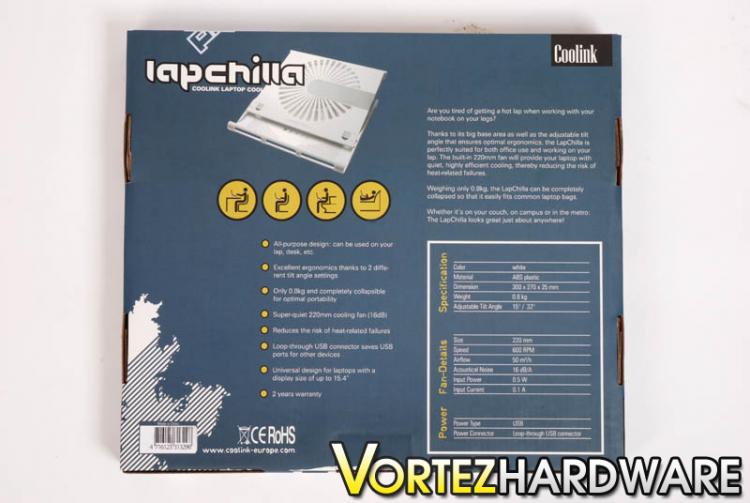
The Coolink LapChilla comes presented in a strikingly colourful box. If you have dealt with any Coolink products in previous years you will immediately notice that the branding has changed. At the start of 2009 Coolink redesigned their website along with a new branding scheme (www.coolink-europe.com). The box itself is attractive and has various detailing on the front and rear, there are some specifications on the back of the box. For quite a delicate item inside, the packaging could be better. All that protects the cooler is the fairly thin cardboard box that it comes in.


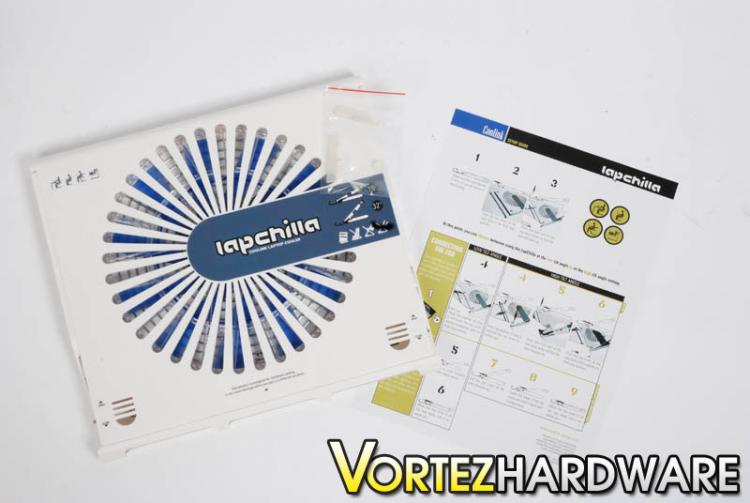
Taking the Coolink LapChilla out of the box we reveal the cooler along with a sheet of brief instructions and some rubber parts to better secure the laptop on top of the LapChilla. The LapChilla looks stylish and has a professional look to it.
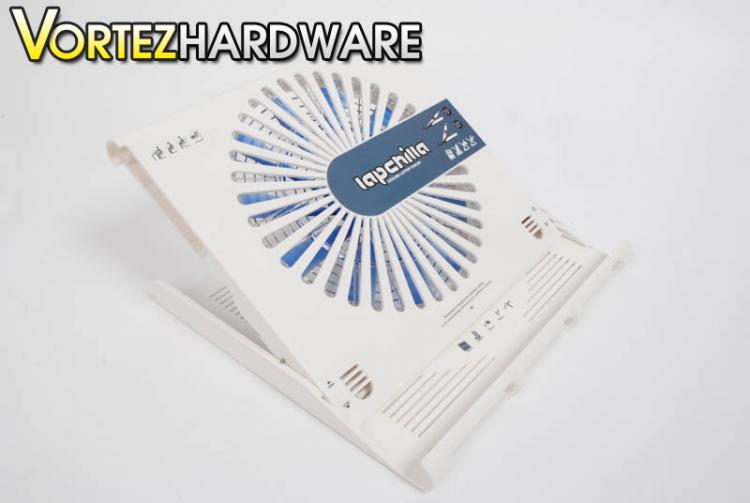
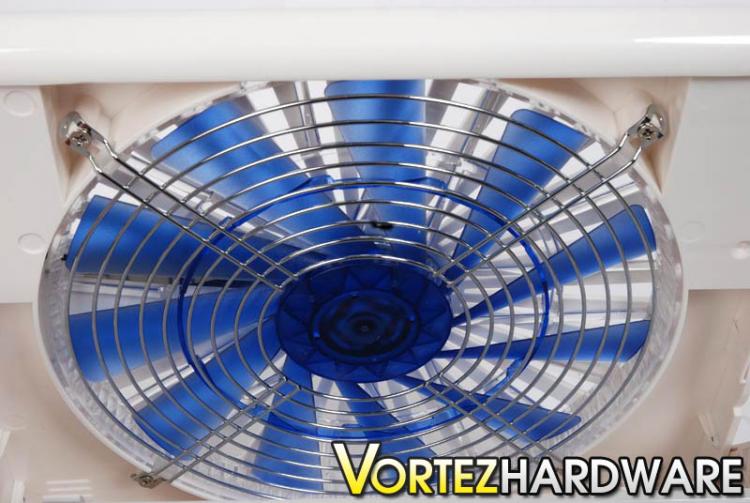
The LapChilla is made of hard plastic more specifically “ABS Kunststoff” the colour of this plastic is white, on the centre of the cooler is a printed logo with some diagrams displaying at what degrees the LapChilla can operate at. Underneath the logo are 33 cut-out gaps, giving a partial view of the 220mm blue fan. Although the LapChilla does weigh in at only 0.8KG the overall feel of the cooler doesn’t feel as sturdy and solid as other coolers made of slightly more hard wearing materials.
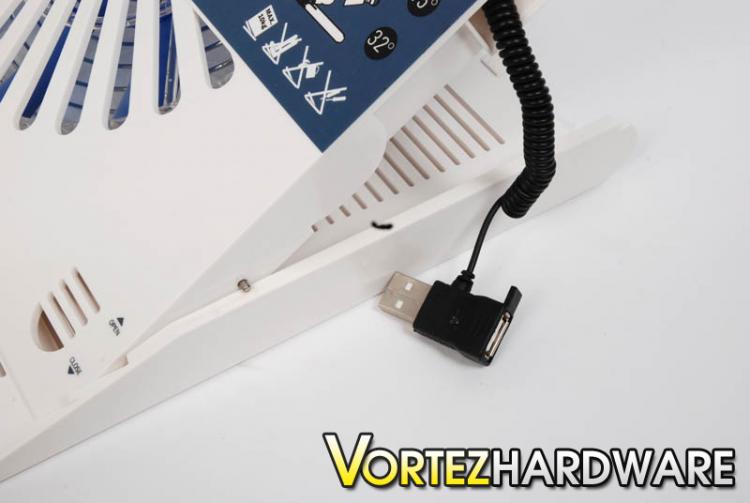
As already mentioned the LapChilla can be positioned at different angles -15º and 32º. It can also be setup to lie completely flat. The choice is yours, the benefit from having a tilt is that you can adapt the position to your specific needs, allowing a modification to posture preventing the risk of RSI. To set the LapChilla at an angle you have to push the tray back and up. This can be a little tricky at first, but you see get the idea. Around the side of the LapChilla there is a little neat little pocket with a USB socket on an expandable wire. This is used to power up the fan. To suit the needs of various notebooks the wire is flexible so that you can stretch to various places if your USB is for example – on the other side of the cooler.



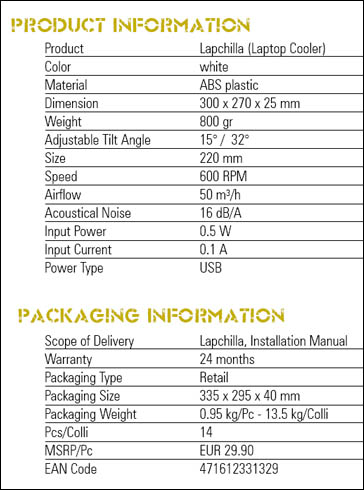
The fan itself is 220MM which is rather large, my immediate thoughts were “That must be quite loud when its spinning round!” But on paper, it’s said to operate at 600RPM giving out just 16dB/A. It will be interesting to see in the next section how loud this fan is. We also be investigating how well the fan shifts that unnecessary heat from the base of the notebook.

Specfications
Over the page we will begin the testing.
Taking the Coolink LapChilla out of the box we reveal the cooler along with a sheet of brief instructions and some rubber parts to better secure the laptop on top of the LapChilla. The LapChilla looks stylish and has a professional look to it.
The LapChilla is made of hard plastic more specifically “ABS Kunststoff” the colour of this plastic is white, on the centre of the cooler is a printed logo with some diagrams displaying at what degrees the LapChilla can operate at. Underneath the logo are 33 cut-out gaps, giving a partial view of the 220mm blue fan. Although the LapChilla does weigh in at only 0.8KG the overall feel of the cooler doesn’t feel as sturdy and solid as other coolers made of slightly more hard wearing materials.
As already mentioned the LapChilla can be positioned at different angles -15º and 32º. It can also be setup to lie completely flat. The choice is yours, the benefit from having a tilt is that you can adapt the position to your specific needs, allowing a modification to posture preventing the risk of RSI. To set the LapChilla at an angle you have to push the tray back and up. This can be a little tricky at first, but you see get the idea. Around the side of the LapChilla there is a little neat little pocket with a USB socket on an expandable wire. This is used to power up the fan. To suit the needs of various notebooks the wire is flexible so that you can stretch to various places if your USB is for example – on the other side of the cooler.
The fan itself is 220MM which is rather large, my immediate thoughts were “That must be quite loud when its spinning round!” But on paper, it’s said to operate at 600RPM giving out just 16dB/A. It will be interesting to see in the next section how loud this fan is. We also be investigating how well the fan shifts that unnecessary heat from the base of the notebook.
Specfications
Over the page we will begin the testing.


