
Krypton makes use of GIGABYTE's unified GHOST Macro Engine software package, which includes both driver and UI support for button assignments, macros and profile management. Only one download and update process for all compatible GIGABYTE peripheral hardware is required thanks to the unified nature of the package, cutting down the hassle of an update process but also increasing QA requirements on GIGABYTE's end.
In testing we utilised version 1.4 of the package, found here.
The Krypton's retail package does not include driver disk, but ready access to the internet enjoyed by most gamers rarely make this an issue. The install process is as simple matter of downloading the software directly from the official website and installing it to a suitable location; installation executables are standalone - unlike recent 'innovations' by other peripheral manufacturers an internet connection is not required thereafter.
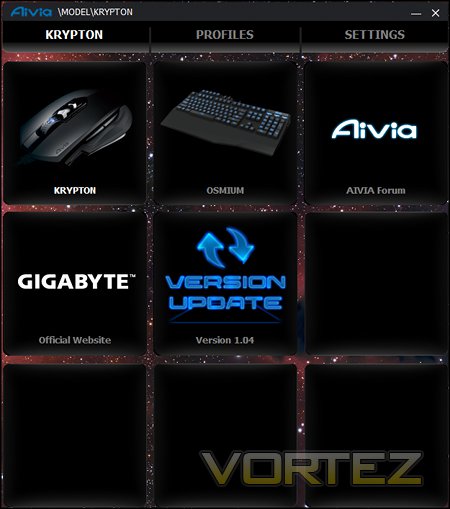
A tiled template is a theme throughout the GHOST Macro Engine application UI, likely speaking to a modular design which could be built on with later releases. The main screen displays all compatible peripherals currently connected to the system (in this case the Osmium and Krypton), quick-links to official GIGABYTE websites, and a one-button check for software updates. Altering peripheral configuration options begins by simply selecting the relevant peripheral and then clicking either Profiles or Settings in the top bar.
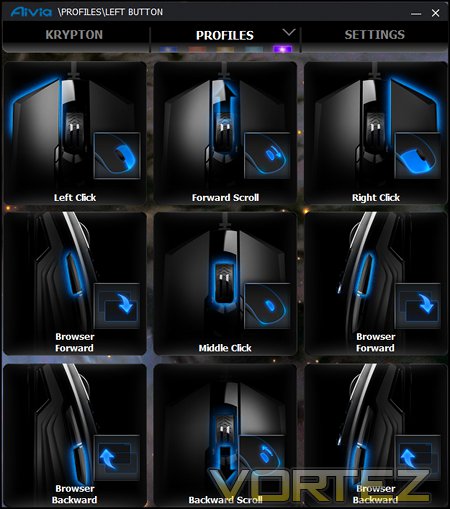
The Profiles screen is where you configure button assignments on a per profile basis. Profiles 1-5 are selected by clicking one of five colours at the top or pressing the profile button on mouse, following which the button assignments will be shown for that profile. Click on each assignment to set to one of many pre-selected or user-defined macros.
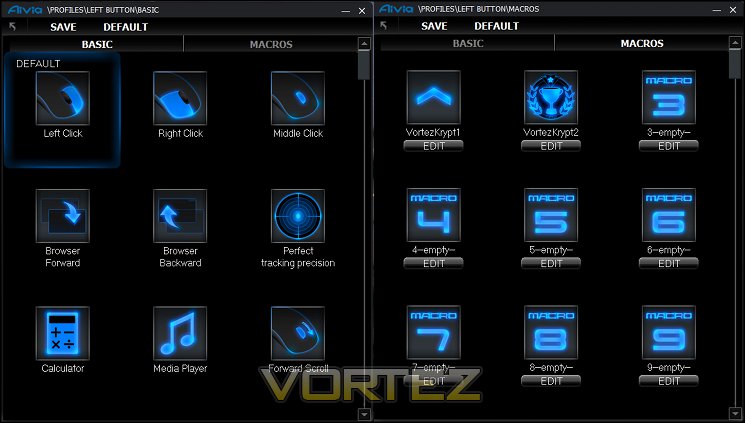
GIGABYTE allow two different types of macros to be utilised: well known pre-configured Windows macros - under the 'BASIC' tab - or user created ones - under 'MACROS' (see above). Basic macros are mainly limited to typical Windows shortcuts such as default web browser or ALT+Windows key combinations, although the Krypton specifically has pre-defined macros for restricting movement along a particular axis and a function labelled 'Perfect tracking precision'. Advanced macros are generated only by keyboard or mouse keystrokes, with delay information also optionally stored.
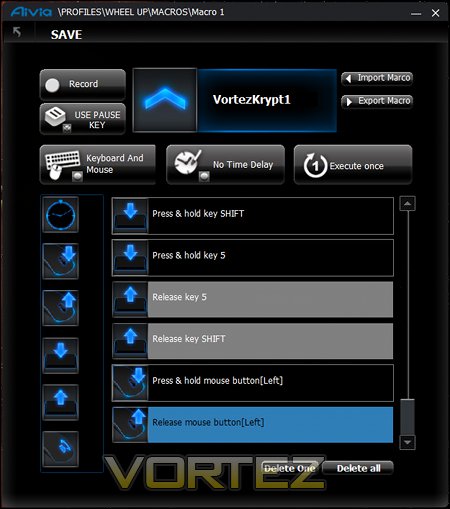
The macro creation screen takes some getting used to, but with experience can be quite powerful. When macro recording begins keyboard keystrokes and/or mouse clicks are logged, as well as time delay between operations if specified. Additional specific entries in a macro sequence can also be added from the list to the left sequences which are more difficult to record thanks to OS limitations.
Macros can be exported or imported to/from a .ini file on a per macro basis. Note that these files are specific to the device, Krypton macros will not work with the Osmium keyboard and visa versa. Unlike some manufacturers, GIGABYTE offer no back catalogue of macros tailored to specific games - you'll need to configure and import/export them yourself until the Aivia community beings to make user-created macro's available.
[fullimage=19966]
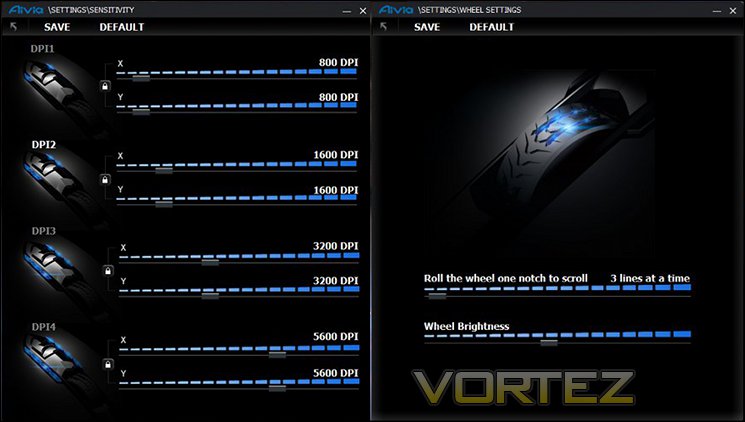
Finally, in the Settings tab GIGABYTE make available access to advanced mouse features. Here you can change the DPI presets for each of the four levels, wheel scrolling behaviour and USB polling rates (up to 1000Hz/1ms), all expected functionality on today's gaming mice. There is no shortcut for additional features such as double-click speed, sensitivity tweaking and lift-off distance - each of which have been options in competing solutions - but given the design there is scope for including them at a later date.
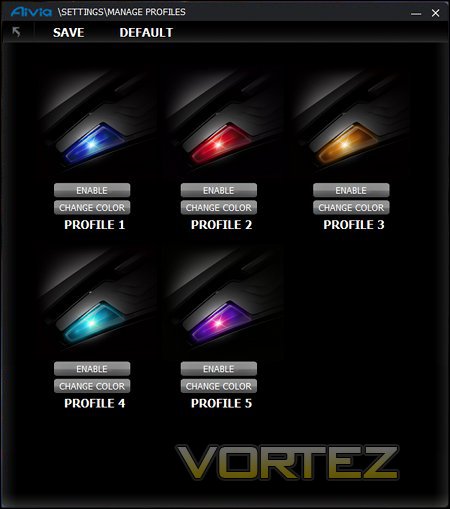
Also on the Settings tab is the Profile Manager, where the selective disabling of Profiles and LED colour selection may be performed. Up to nine different colours are available, as per user preferences, and selective disabling of profiles is useful if only a few are being used and cycling between them is a common occurrence (esp. in-game). The only point to note is that ENABLE means 'This profile is enabled' rather than 'Click to enable'; the same holds true for DISABLE.
A more significant issue can be that of customisable icons. This is a great feature which doesn't appear to have been tested to its fullest extent, inevitably leading to an improper choice of icon which will cause "Invalid Imagelist" error messages on load and prevent further use of this feature. Worse still, there doesn't appear to be any way to clear the list of icons should this error occur.
In summation, the GHOST software is much more suited to the Krypton mouse than the Osmium keyboard, though extremely high level users will be rather put out by a relatively low number of advanced mouse tweaking options. It would also be advantageous to add additional synergy to the Aivia gaming package by allowing keyboard modifiers (SHIFT, ALT etc.) to act as modifiers to mouse button presses, greatly increasing the number of available button assignments. Linking profile switching, so that Keyboard and Mouse profiles are switched simultaneously, could also improve usability for use with a wide array of multiple software titles.


