
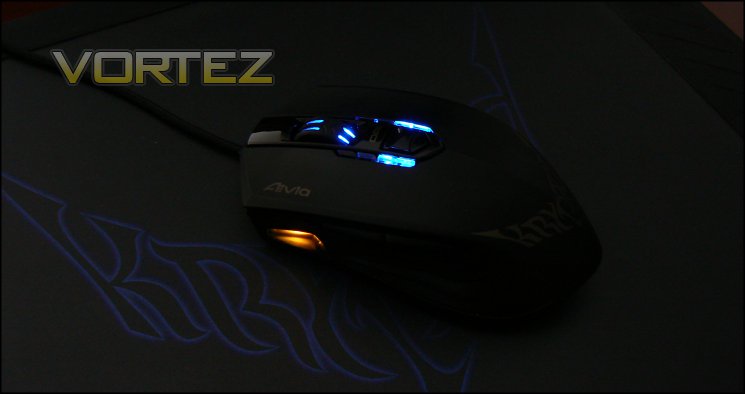
We paired the Krypton with it's the Krypton dual-sided mousemat counterpart to assess its performance characteristics, but it's worth noting thatother dual-sided mats are available. This type of mat allows us to compare caster dynamics and sensor tracking with both Teflon and ceramic casters, as well as fabric and PVC surfaces.
General Performance
Three Teflon feet on the default setup of the Krypton lead to a very smooth movement over the fabric mousemat, though the level of wear you'll see if you use the hard textured side will be too much to bear in the long run. In conjunction with the slightly elevated mat (thanks to the thick rubber framt), the intermediate rubber layer serves to cushion your hand more than you might expect. The precision in manufacture means that there is no rocking motion typically caused by mismatched feet, though this will vary from batch-to-batch.
At 110g without additional weights the Krypton is something of a middleweight, thanks at least in part to the additional structural support needed to affix the base plates securely. 149g, the top end of the weight band for the Krypton, is on the heavy side; well engineered Teflon skates make it feel lighter howver. Even at the low end of the range the USB cable isn't quite rigid enough to move the mouse far whilst you're hands-off.
We should note that the reinforcing plastic where the braided cable enters the mouse is angled slightly downwards and protrudes almost 1cm. After a few weeks of use this began to point downwards and rub into the mousing surface, adding drag and wear to the mat itself.
The Krypton is deceptively short - an illusion of length is generated by the high arch apex towards the rear of the mouse. Height then quickly falls off with the shell also tapering towards the rear, a design which will tend to provide less palm support than some. This may cause discomfort in long sessions depending on the size of your hand and type of grip used.
The two major mouse buttons are excellent in terms of actuation and responsiveness: there's no dead zone between rest point and the point where resistance begins, and the overall distance travelled from rest to fully depressed is very small. For both gaming and productivity this is absolutely ideal. The mouse wheel is similarly well appointed, and is actually functional as a third button. In contrast, thumb buttons on both sides have a springy action and a switch which is surprisingly loud; certainly less than ideal for an office environment on both counts.
Gaming Performance
Impressions of the Krypton certainly pick up in gaming, where the thick of action clouds should accentuate the positives and mask minor drawbacks. As an ambidextrous mouse it's not quite as ergonomically suited to the hand as some gaming mice will be, but you're not left confused by a button position or the overall layout. The shoulder buttons are raised relative to the mouse contours, making them easy to differentiate between by touch. The profile switch is a little bit of a stretch when using a thumb in a claw grip and even more so with palm grips; it's not the most easy to utilise without significantly adjusting your hold on the mouse. Ironically, it's usually easier to press the button on the opposite side with your index finger.
We're pleased to note the clear DPI indicators just below the wheel, something we felt was a little lacking on other mice we have tested. Being able to assess DPI and active profile at a glance is more useful than you might imagine, and we can rarely see a reason not to include it apart from cost. The DPI switch isn't fantastic; without a 'sniper' button we would like to have made level selection register when the switch was pushed rather than when it was released.
FPS Gaming - Team Fortress 2
FPS gamers will be enthused by the ceramic feet when coupled with a hard mousemat surface. Movement over a pad is extremely swift and accurate, and when coupled with low DPI settings can improve accuracy. They take a little getting used to - friction dynamics are quite different to that of fabric mats + Teflon - but it's an addition that enriches gaming rather than dissociates from it. Whichever mat type used, tracking is smooth with no perceptible angle snapping.
Weapon switching is performed without difficulty when performed with the mouse-wheel if that's your thing, and the wheel button can be used as an additional alt-fire switch more easily than other mice. The GHOST software's macro engine is good in this regard as this button, or those on the generally surplus side, can be bound as game function shortcuts which often require more keyboard keystrokes.
The GHOST software also features a 'Precise Tracking' mode keybind, but we were unable to discern if it made a different to the sensor performance.
RTS/RTS Gaming - Torchlight 2 & Starcraft
Disquiet over the performance of the thumb buttons extends to RPG gaming, due mainly to the slow nature of their response. MMORPG/MOBA's are reliant on leveraging additional buttons to gain access to huge number of additional skills - requiring an exceptionally fast response time - which the Krypton wasn't able to provide. Whilst like most gaming mice the Krypton is not tailored to MMORPG's specifically thanks to a relatively limited number of easily accessible buttons, the design of these make it less ideal than many other conventional gaming mice.
By contrast, the GHOST Macro engine was able to prove its worth. Seventy different macros can be created and swiftly available through the software, each of which could be a complex combination of keystrokes augmented by recorded or user-specified delays. Cancelling a macro is performed simply by activating it again, and whilst the macro is in operation both keyboard and mouse presses are possible. Appropriate improvements would be the ability to link profiles to the launch of specific software titles and being able to back-up a profile wholesale, but even as it stands it's more powerful than is provided by some gaming mouse packages*.
When paired with the Krypton mouse mat we certainly preferred the fabric side and Teflon casters for these sorts of titles, which are vastly more suited to subtle movements at a higher DPI than the alternative. Even at these higher DPI settings tracking from the sensor was very good, though we would like to have seen an double-click timing adjuster built into the GHOST suite.
All-in-all, the Krypton is a study in contrasts. Customisation options which should provide value to all users are undermined by an elementary design flaw which detracts substantially from the overall package.
* Be careful not to use too much automation in your macros. Some gaming titles scan for regular and repeated events and interpret it as botting or cheating.


