
Osmium makes use of GIGABYTE's unified GHOST Macro Engine software package, which includes both driver and UI support for button assignments, macros, and profile management. The unified nature of the application means that only one download and update process is required for all GIGABYTE peripherals currently used in your system, cutting down the hassle of an update process but also increasing QA requirements on GIGABYTE's end.
In testing we utilised version 1.4 of the package, found here.
GIGABYTE do not supply a driver disk with the package, but in today's connected world this is rarely an issue. The install process is as simple matter of downloading the software directly from the official website and installing it to a suitable location. The installation file is standalone - once downloaded, an internet connection is not required thereafter.
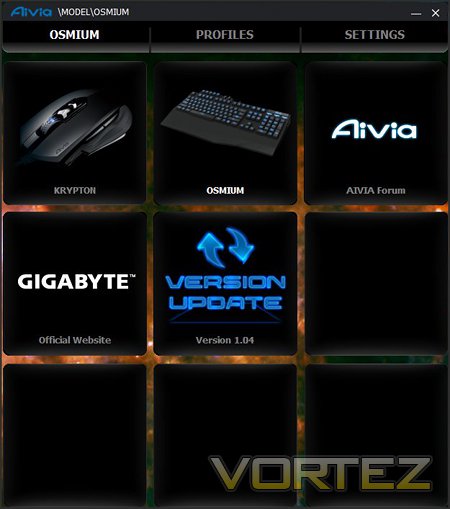
The GHOST software's tiled template is a theme through the configuration process, likely speaking to a modular design which could be expanded with later releases. The main screen displays all compatible peripherals currently connected to the system (in this case the Osmium and Krypton). To alter peripheral bindings and settings, first off select the peripheral and then click either Profiles or Settings in the top bar.
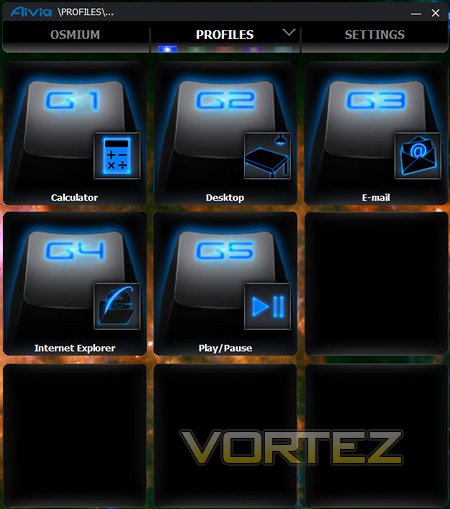
The Profiles screen is where you configure the G-Keys on a per profile basis. Profiles are selected by clicking one of five colours at the top or pressing the Aivia button on the keyboard, following which the G-key assignments will be shown for that profile. Click on each key to set to one of many pre-selected or user-defined macros.
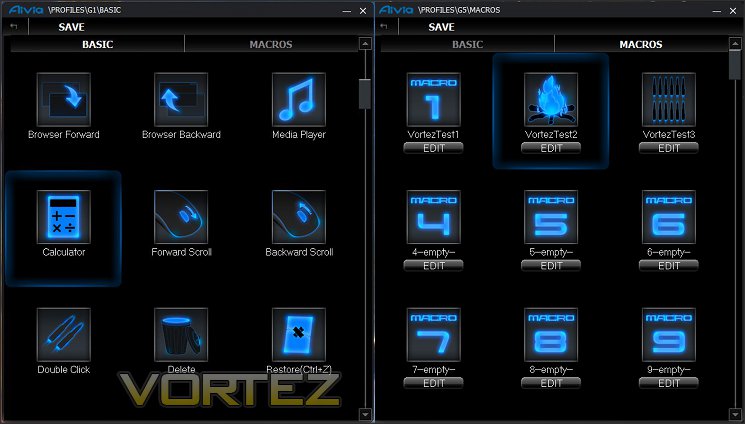
GIGABYTE allow two different types of macros to be utilised: well known pre-configured Windows macros - under the 'BASIC' tab - or user created ones - under 'MACROS' (see above). Basic macros are limited to those typical Windows shortcuts such as default web browser or ALT+Windows key combinations, whilst advanced macros are generated only by keyboard or mouse keystrokes, with cursor and delay information optionally stored. Not being able to launch specific applications, such as Steam or a game of your choice, is something of a disappointment but not unbearable and may have been a compromise to make the keyboards as autonomous as possible.
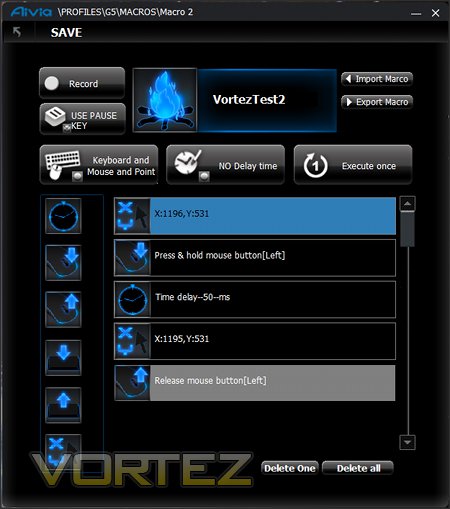
The Macro creation screen takes some getting used to, but with experience can be quite powerful. Upon starting Recording keyboard keystrokes and/or mouse clicks are logged, as well as position and time delay if specified. Additional specific entries can also be added from the list to the side for macros which are more difficult to record thanks to OS limitations. Cursor position is defined in absolute terms - X,Y coordinates relative to the top-left of your screen.
Macro's can be exported or imported to/from a .ini file on a per macro basis. Note that these files are specific to the device, Osmium macros will not work with the Krypton mouse and visa versa. Unlike some manufacturers, GIGABYTE offer no back catalogue of macros tailored to specific games - you'll need to configure and import/export them yourself unfortunately.
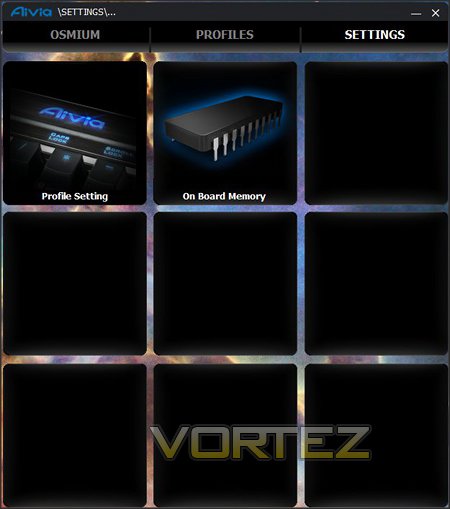
Finally, in the Settings -> Profile Settings tab GIGABYTE allow the selective disabling of Profiles. Handy if only two are being used, but cycling between them is a common occurrence (esp. in-game), this is a great addition. The only point to note is that ENABLE means 'This profile is enabled' rather than 'Click to enable'; the same holds true for DISABLE. The Breathing effect is solely for the profile LED on keyboard, and whilst a nice effect was a little distracting.
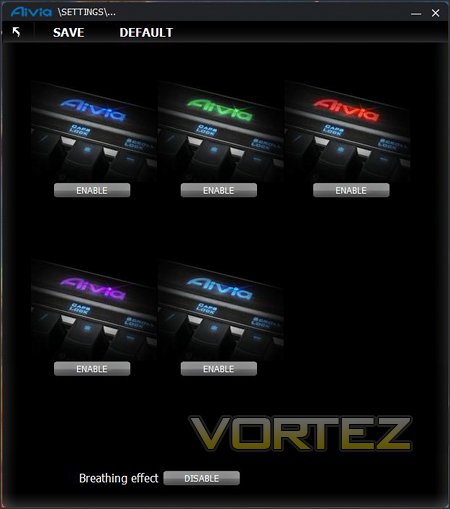
If the Osmium's overall package has an obvious weak link, the GHOST software is it. Functionality is certainly there, but it's poor for checking settings at a glance; one such example is in telling when a profile is enabled or disabled as graphics and wording appear to disagree.
A more significant issue can be that of customisable icons. This is a great feature which doesn't appear to have been tested to its fullest extent, inevitably leading to an improper choice of icon which will cause "Invalid Imagelist" error messages on load and prevent further use of this feature. Worse still, there doesn't appear to be any way to clear the list of icons should this error occur.
Other features such as loading a profile upon running a particular application, or allowing macro's to open files directly, are missing. Fundamentally, it's not as comprehensive as it could be and you might expect for a premium product. On the other hand, the utility's modular structure allows these sorts of features to be added at a later date; there's certainly scope for improvement within the existing framework.


