
Time to take a closer look at the Uranium, starting with a top-down approach. Literally.
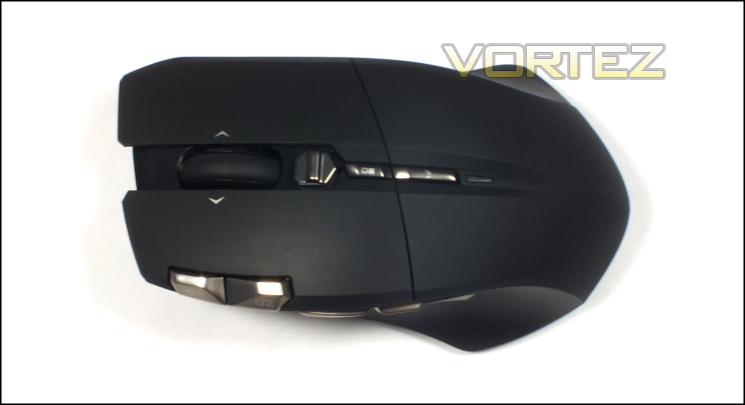
It’s clear to see that unlike the previously reviewed Krypton GIGABYTE have pushed the Uranium to an ergonomic design for right-handed users. The curve is relatively subtle, but will be enough to ensure that it’s not really suitable for left-handed users.
Compared to most mice the Uranium is quite large, especially in front to back dimensions where it measures 127mm. That’s a natural consequence of the addition of internal battery power in the mouse, but it nonetheless needs to be designed around. Those with smaller hands may find it less comfortable, but on the flip side the button sizes and placements should be suitable for a majority of grip styles.
The vast majority of the buttons are located on the top, and GIGABYTE have gone down the path less travelled in their placement. Two main buttons will always be a fixture, in this case with a smooth plastic surface rather than grippy rubberised coating. However just to the left are two additional button, labelled G1 and G2; the positioning is relatively uncommon, most often used by Logitech in their G-series mice. Pushing these buttons is easiest from directly above; actuating by leaning on the sides with your index finger requires much more force, especially in regards to G1.
A tilting scroll wheel (complete with icons on the left and right mouse buttons to indicate additional movement) is centrally located. The wheel has a very light-weight movement with only the smallest hint of ratcheting. Below that is a rocker switch which behaves as a DPI selector and cannot be assigned to an alternate function in software or hardware. We should note that we took issue with the similar component on the Krypton for lacking quality; here it is much more satisfactory even if it does still allow you to erroneously push down.
Below these two features are two more buttons and like the DPI rocker switch they have fixed functionality. The top-most switches the mouse into a controller mode for the GHOST Macro Station, whereas the latter cycles through profiles. When in controller mode the small LED at the bottom will glow blue.
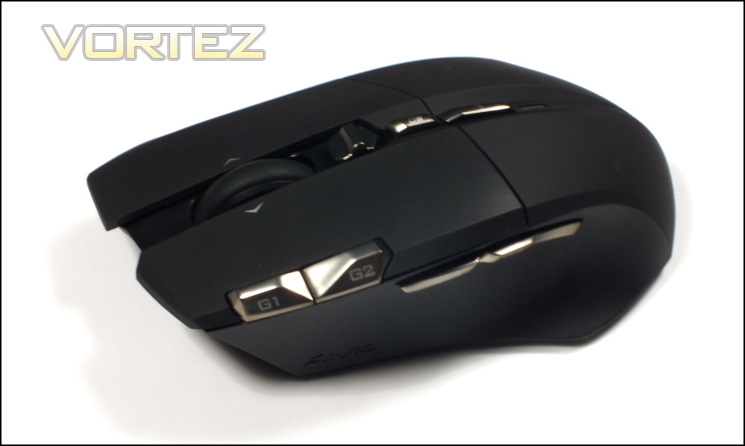
Looking from the left side we have two major buttons, in this case labelled G3 and G4. These are very much standard positions for the thumb buttons, most often used for previous and next-page functions in web browsers but also assignable to in-game functions. We’re pleased to report that these are far more satisfying and less spongy than many, and benefit from a relatively light touch. Actuation is immediate and the back-stop for the button is solid.
In total there are 10 programmable buttons/mouse events: the right mouse button, G1-G4, left/right tilt, scroll up/down and middle mouse button. As pure numbers go that's enough for a MMO or the more hotkey heavy Action-RPG, but placement and software functionality remain important to unlock their potential.
The side wall itself is once again plastic but in this case has a textured surface for improved grip, just what this quite heavy mouse needs. The outward slant of the side wall will aid in lifting the mouse off the mousing surface, but even so you will need to keep a pretty tight grip to ensure it remains stable. A small flaring at the bottom provides some thumb support, but not a great deal.
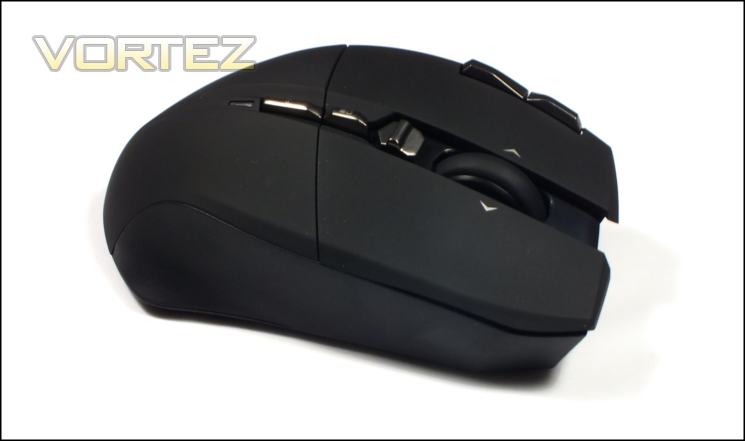
A quick look at right side from a similar angle shows a somewhat warped perspective due to the height difference of the left compared to the right. The left of the mouse is around one centimetre higher at the tip of the mouse, whilst the difference is more pronounced towards the middle. This will have some impact on your grip and especially the typical finger position as you scroll.
The front is unadorned except for a micro-USB port for the charging cable, which is recessed far back into the chassis and has a guide on either side of the channel to help to secure it firmly.
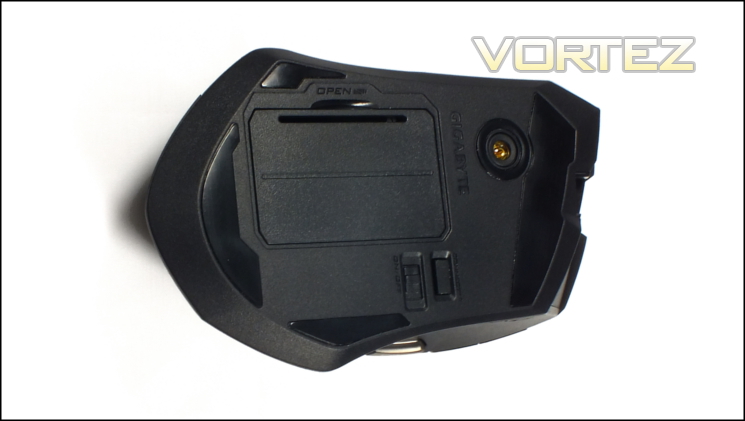
Moving to the floor there’s very little to be surprised about. Four Teflon feet provide a stable surface to mouse on, and their bespoke shape makes us all the more pleased that GIGABYTE saw fit to include spares in the Uranium’s retail bundle. The sensor is markedly off-centre in both the horizontal and vertical, which will increase the learning curve for those who take advantage of high sensitivity and subtle mouse movements rather than broad linear sweeps.
Below the sensor is the cover for the 2 x AA battery compartment, with a serial number also located inside. Next to that is an on-off switch for conserving battery life for periods when you’re away from the PC or in transit. Above this is a connect button, which in tandem with software pairs the mouse with its wireless receiver in the best wireless channel available (note that out the box the mouse will auto-pair with its receiver).
So outwardly the Uranium is certainly a smart looking mouse with very few aesthetic touches that might turn someone off. However it’s only half the equation, the other being the GHOST Macro Station...


