
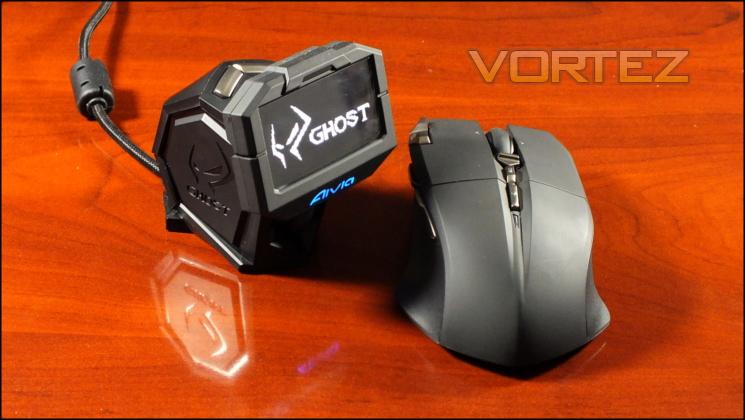
When assessing the performance of the Aivia Uranium we made use of a large generic cloth mousemat with 3mm thick rubber backing. This type of mat is fairly typical of gaming setups and generally well matched to both laser and optical sensors, whilst the relatively thick backing should support the additional weight of the Uranium well.
General Performance
Unfortunately we need to be clear right from the start: our testing of the GIGABYTE Uranium was plagued with wireless issues that inhibited performance. During times of heavy wireless network load there were pronounced periods of cursor freezing and numerous unregistered button clicks. At all times - regardless of network load - button clicks were not reliable, with one in every hundred or so not being registered even if wireless network traffic was relatively low.
A key indicator of poor performance was the scroll wheel. OS response continually lagged behind human input, with some lines clearly not being registered at all despite careful rotation at a slow speed. Although not crucial to run of the mill use, it would prove to be a significant problem in games for both response time and accuracy.
In order to tease out the causes of the problems we moved the mouse to a different location which we believed to have better wireless conditions. Unfortunately although performance improved it was never truly dependable; button presses were still routinely missed and the scroll wheel lagged.
At this stage we were concerned that the movement itself might be lagging, but we couldn’t untangle the issue of experimenter bias. For what it’s worth it didn’t appear to lag so much as freeze for 2-3 secs, although this was by comparison a very rare event (occurring once every two hour session). Waking up from a short idle period did appear to have a slow response, but not problematically so and may instead have been inbuilt mouse acceleration.
This experience was at odds with the overall feel of the mouse, which is generally very good. Buttons are solid and appear to be very responsive when working well, and if G1 and G2 started out a little stiff they soon became much more easy to work with.
Palm and claw grip users shouldn’t find the Uranium to be too much trouble, although those with a claw grip should be able to integrate G1 and G2 more easily. Fingertip grip users, and those who prefer high DPI settings and small mouse movement will initially have some difficultly with the off-centre sensor if their normal method involves some rotational movement, but they should be able to adapt relatively quickly.
The mouse is also heavy - 170g is quite a lot to be moving around all day and will hurt precision at the very highest sensitivities. Overcoming initial inertia will be the largest impediment to precision use under otherwise perfect conditions, and so it’s a better general office mouse than one for which you’d want to use for specialised DTP etc.
A lightweight mouse wheel is ideal for document and website navigation. The Uranium has a very soft ratcheting, allowing for fast scrolling with minimal effort. Middle button presses can sometimes cause you to scroll or inadvertently activate a tilt, but only if you’re a little fat fingered as the mouse platform overall is stable.
Gaming Performance
As noted, we suffered some with the wireless performance which really tells its own story. Trying to set that aside, we want to provide you with some idea as to its gaming potential presupposing more ideal conditions.
The first thing of note is that build quality seems excellent. Yes, it is heavy, but it also has a solidity about it which is rare in mice. There are no loose panels, nor buttons which you think give way too easily or are in danger of collapsing into the housing. It’s a massive improvement over the Krypton in this regard, and we would rate it highly on our own internal charts. Accordingly we have a generally positive outlook for the long-term durability of the mouse and base station unit.
In FPS gaming the Uranium was aided by a set of exceptionally good non-stick feet, allowing it to glide over the mouse-pad with an ease which belied its weight. The slightly more expansive movement involved in FPS gaming over other types masked some of the minor inconsistencies such as sensor location and resulted in an experience which could have been satisfying under other circumstances.
Macros were less useful, and the button placements weren’t quite ideal for twitch gameplay relying on fast reflexes. Compared to other premium mice, the lack of a low dpi modifier button (e.g. sniper button) hurt it. Our skills in our regular FPS of choice - Team Fortress 2 - certainly suffered from a lack of low-DPI toggle, and although the DPI switches were present it was quite easy to become flustered with using them in the heat of battle. With enough time adjusting to this scheme should be possible, but it's not nearly as ideal as alternate solutions already well represented.
MMO Gaming benefited from a fairly comprehensive macro and profile system. Recording Macros was easy, and although the locations of the macros keys wasn't quite so comfortable as in other MMO-specialised mice we've tried the button responses were acceptible. We did find the DPI switch to be pretty redundant during all non-FPS gameplay and wished we could bind the switch to something different, but sadly that wasn't possible.
We didn’t come across a need for quick button assignment switching in hardware, one of the core uses of the GHOST Macro Station. However a trip to a local LAN opened our eyes a little as we observed a Dota 2 team member struggle with their button assignments on a organiser-provided system for a character class they were less familiar with. Other mice would require profiles set up well in advance, whilst the Uranium would only require that the specific macros are set up and present on the system's library of 70. In addition, it also provides a lot more flexibility for multiple users using the same mice and set up their system specific to them.
At the end of the every gaming session we did feel more than a little worn out. Although you may not feel it in the moment, lugging around 170g of mouse is quite a chore and will be a major downside to some players who favour extended sessions.
Battery life is one facet which definitely lived up to the billing. Over four days of heavy use the battery held out on a single charge without being turned off during the night. The lightweight charging cable performed its role admirably, not getting in the way during vigorous use retracting without difficulty afterwards. The only oddity we observed was that the indicator stayed at 80%+ far longer than any increment below this level, perhaps indicating that they haven't quite been normalised properly.
Finally, the base station is a cool idea but has far potential yet to be unlocked. It’s possible that so much more information could be displayed on it if the API was opened up and games or utilies had more direct access to the display. A cooldown timer is a good start, but doesn’t really encompass the range of notifications games could be sending it. It may also be hampered by (or conversely hampering) the GHOST Engine software, which is at best of average functionality and doesn’t have the polish of competitor releases.
--
Unfortunately none of the positives can get away from the chief negative of poor wireless performance. When it works well, it’s a pleasure to use, but when poor it makes you crave going back to wired. That’s disappointing to say the least for a mouse costing the best part £100.


