
For this review I will be pitching the GIGABYTE X58A-OC against our very own test bed motherboard which is held in very high regard by overclockers, gamers and enthusiasts alike, the mighty ASUS Rampage III Extreme. You may think that we are comparing apples to (excuse the pun) oranges here but quite simply there is no other motherboard like the GIGABYTE X58A-OC. Obviously a key section will be the overclocking but we will also test I/O performance, gaming and a whole host of other benchmarks to see how the GIGIABYTE X58A-OC fairs in comparison to the ASUS board. I should point out at this stage that perhaps a more direct competitor to the ASUS Rampage III Extreme would be the mighty GIGABYTE G1 Assassin motherboard which we hope to review at a later date.
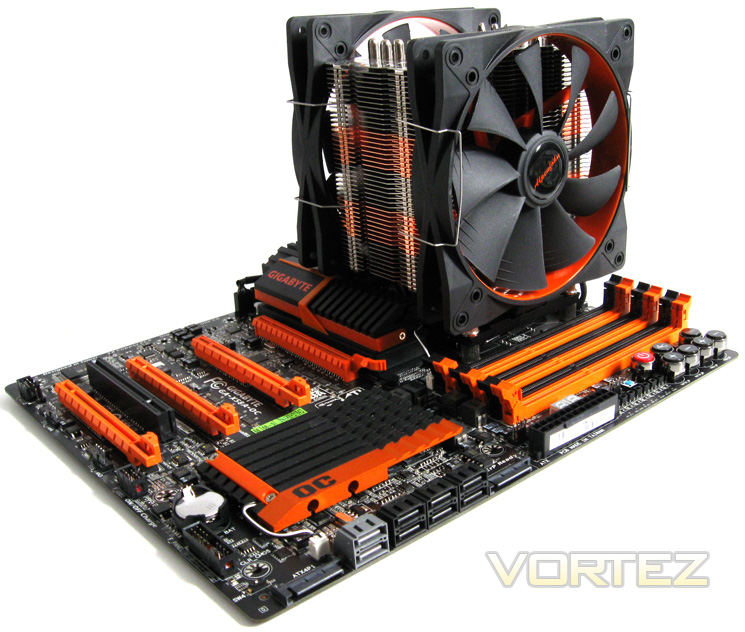
Unfortunately, due to reasons beyond our control we could not get dry ice (more specifically a pot) in time for the review so we have had to make do with good old air cooling. This should however present an interesting slant on the overclocking results as the boards slug it out 'mano-a-mano'.
Test Setup
CPU Intel Core i7 920 'D0' 2.66GHz & Maximum Attainable Overclock
Motherboards
- GIGABYTE X58A-OC
- ASUS X58 Rampage 3 Extreme
Memory 3x2GB: Kingston HyperX CL8 1600MHz (slots 2,4 & 6)
CPU Cooler: Prolimatech Super Mega + 2x Alpenfohn Wingboost 140mm
Graphics: ZOTAC GTX560 1GB AMP! Edition
PSU: Antec High Current 1200W
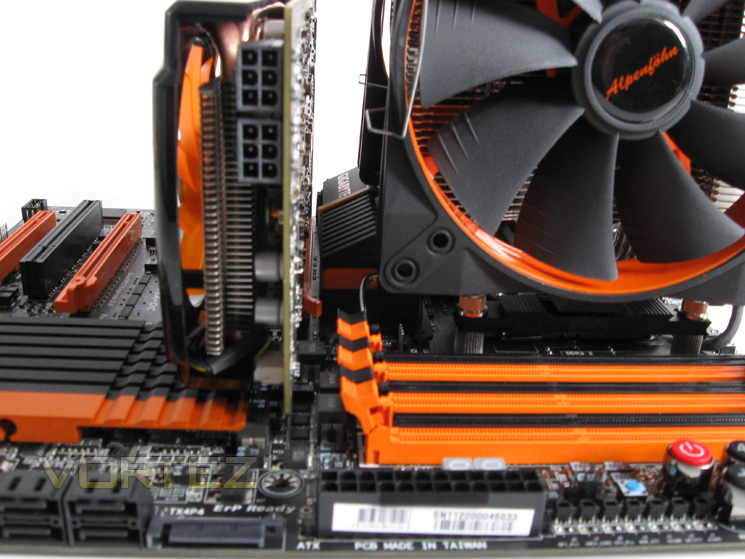
The picture above shows the gap between the IOH heatsink and the graphics card. I would like to some further improvement on the way motherboard clasp graphics cards as with the graphics card in situ, it is difficult to release the clasp. That said the spacing on the X58A-OC is better than most, particularly with the memory sockets meaning the GPU does not need to be removed should you need to change the memory.
Voltage Measurement
Using a digital multimeter I measured the voltage readouts set via 'EasyTune6' and found the following:


With the Vcore set to a moderate 1.35v and LLC set to full calibration the above readouts confirmed that when idle, the Vcore was slightly less than what was set being 0.005v out. Conversely, the X58A-OC ever so slightly over compensated for voltage droop when placed under load (LinX) overvolting by 0.008v. This is a fantastic result and just goes to show how finely tuned the VRM is. The other readouts displayed similar results with no worrying anomalies found under idle or load.
Let's take a look at the motherboards Pièce de résistance, the overclocking section...
Unfortunately, due to reasons beyond our control we could not get dry ice (more specifically a pot) in time for the review so we have had to make do with good old air cooling. This should however present an interesting slant on the overclocking results as the boards slug it out 'mano-a-mano'.
Test Setup
CPU Intel Core i7 920 'D0' 2.66GHz & Maximum Attainable Overclock
Motherboards
- GIGABYTE X58A-OC
- ASUS X58 Rampage 3 Extreme
Memory 3x2GB: Kingston HyperX CL8 1600MHz (slots 2,4 & 6)
CPU Cooler: Prolimatech Super Mega + 2x Alpenfohn Wingboost 140mm
Graphics: ZOTAC GTX560 1GB AMP! Edition
PSU: Antec High Current 1200W
The picture above shows the gap between the IOH heatsink and the graphics card. I would like to some further improvement on the way motherboard clasp graphics cards as with the graphics card in situ, it is difficult to release the clasp. That said the spacing on the X58A-OC is better than most, particularly with the memory sockets meaning the GPU does not need to be removed should you need to change the memory.
Voltage Measurement
Using a digital multimeter I measured the voltage readouts set via 'EasyTune6' and found the following:
With the Vcore set to a moderate 1.35v and LLC set to full calibration the above readouts confirmed that when idle, the Vcore was slightly less than what was set being 0.005v out. Conversely, the X58A-OC ever so slightly over compensated for voltage droop when placed under load (LinX) overvolting by 0.008v. This is a fantastic result and just goes to show how finely tuned the VRM is. The other readouts displayed similar results with no worrying anomalies found under idle or load.
Let's take a look at the motherboards Pièce de résistance, the overclocking section...


