
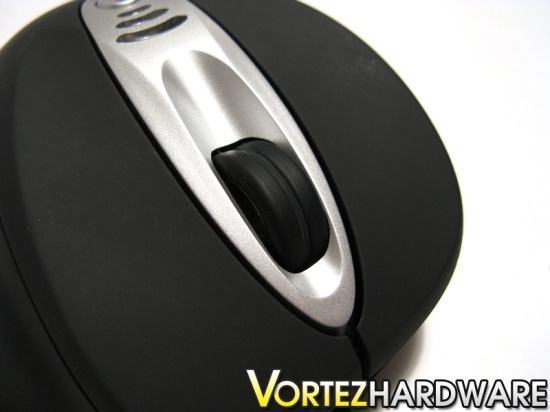
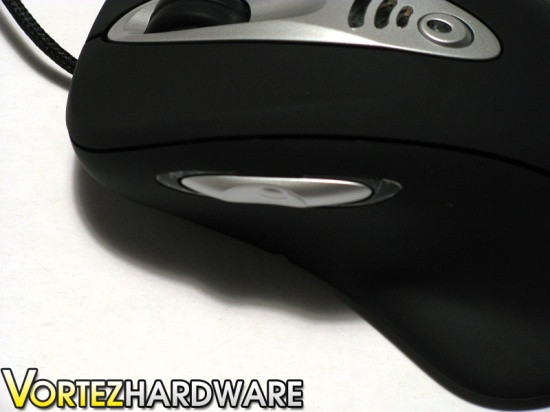
The included scroll wheel of the OCZ Behemoth can be rotated upwards or downwards. The scroll wheel has a cylindrical shape, which allows for the index to comfortably rest upon it. A narrow gap running around the scroll wheel enhances the grip of the index on it. The scrolling of the wheel is fairly silent. It offers a nice tactile feedback, but the scroll may be rotated quite quickly and smoothly without any trouble. The OCZ Behemoth's scroll wheel does not sway from side to side, which ensures that it will not jam from touching the sides. Of all the mice I have used, the Behemoth's scroll wheel is my favourite, offering ideal tactile feedback, grip and smoothness. In addition to the usual left, right and middle buttons, the Behemoth also includes 2 side buttons, one frontal and one postural. A red LED accompanies each of the side buttons, and they indicate the custom profile being used by the mouse.
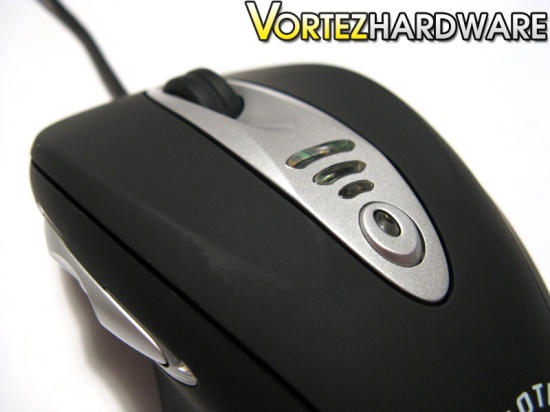
The Behemoth also includes a nifty button at the top middle of the mouse. This button is configured by default as the increasing dpi switcher. Above this button, 3 clear plastic windows show the chosen dpi mode being used. The center of the right and left buttons of the Behemoth are slightly depressed, allowing for the fingers to cosily grip them. All the buttons of the Behemoth offer a nice amount of tactile feedback, and make a nice clicking sound. The noise that they make is fairly loud in comparison to the Logitech G7 wireless laser mouse. Furthermore, all of the buttons can be fairly stiff to depress, and it would have been preferred that OCZ Technology make softer buttons. Nevertheless, they are not stiff enough to make usage of the mouse uncomfortable, and it required me approximately 3 hours to get used to them.
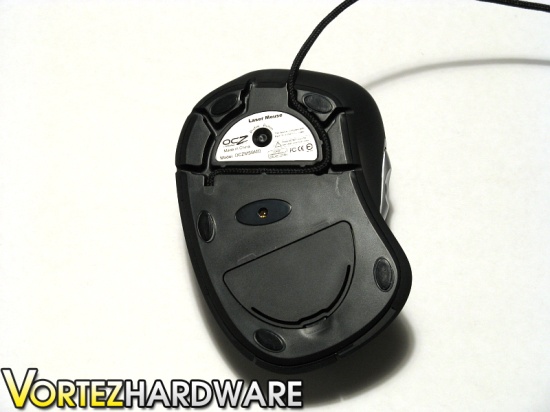
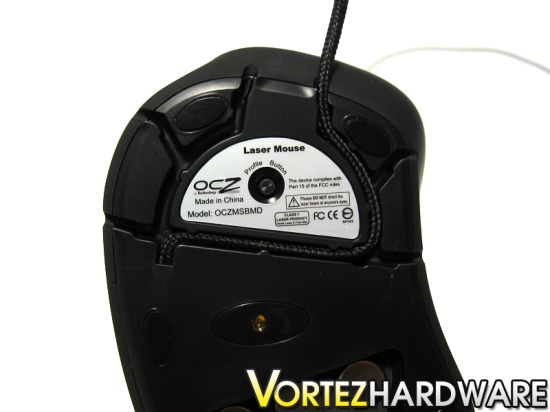
Underneath the OCZ Behemoth, five small mouse feet are strategically placed to offer optimal glide. The mouse feet are fairly small and seem to not be of a standard size. Replacing them might be difficult, and it would have been preferred if large mouse feet were used. An interesting feature of the Behemoth is that the mouse cord can be routed 6 different ways. Some might find this feature handy. By routing the cord to avoid it from falling off the edge of the table, less resistance will be caused by the cord pulling on the mouse. A small profile button is also located at the bottom of the mouse, allowing for quick switching between the 4 possible profiles of the Behemoth. The double laser sensor is found at the middle of the mouse.
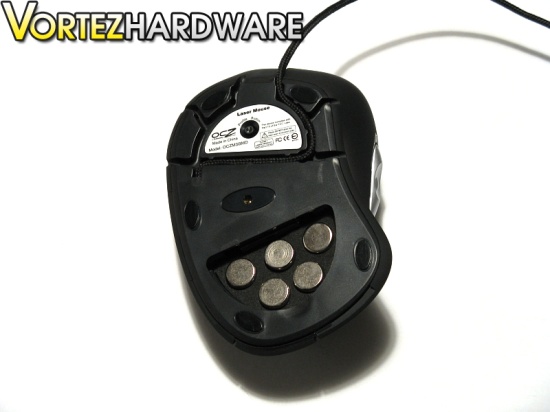
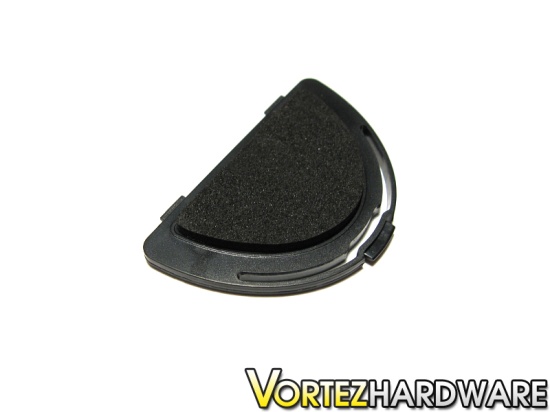
As stated on OCZ Technology's website, the OCZ Behemoth has customizable weights. These weights are secured by a lid beneath the mouse. Five weights can be removed or added, and each weighs approximately 23 grams, for a total of 115 grams. They are secured in foam. Some computer users prefer a heavier mouse over a lighter mouse whereas others prefer the contrary. The weight system allows for each group to use the Behemoth according to their needs and preferences.
The Behemoth also includes a nifty button at the top middle of the mouse. This button is configured by default as the increasing dpi switcher. Above this button, 3 clear plastic windows show the chosen dpi mode being used. The center of the right and left buttons of the Behemoth are slightly depressed, allowing for the fingers to cosily grip them. All the buttons of the Behemoth offer a nice amount of tactile feedback, and make a nice clicking sound. The noise that they make is fairly loud in comparison to the Logitech G7 wireless laser mouse. Furthermore, all of the buttons can be fairly stiff to depress, and it would have been preferred that OCZ Technology make softer buttons. Nevertheless, they are not stiff enough to make usage of the mouse uncomfortable, and it required me approximately 3 hours to get used to them.
Underneath the OCZ Behemoth, five small mouse feet are strategically placed to offer optimal glide. The mouse feet are fairly small and seem to not be of a standard size. Replacing them might be difficult, and it would have been preferred if large mouse feet were used. An interesting feature of the Behemoth is that the mouse cord can be routed 6 different ways. Some might find this feature handy. By routing the cord to avoid it from falling off the edge of the table, less resistance will be caused by the cord pulling on the mouse. A small profile button is also located at the bottom of the mouse, allowing for quick switching between the 4 possible profiles of the Behemoth. The double laser sensor is found at the middle of the mouse.
As stated on OCZ Technology's website, the OCZ Behemoth has customizable weights. These weights are secured by a lid beneath the mouse. Five weights can be removed or added, and each weighs approximately 23 grams, for a total of 115 grams. They are secured in foam. Some computer users prefer a heavier mouse over a lighter mouse whereas others prefer the contrary. The weight system allows for each group to use the Behemoth according to their needs and preferences.


