
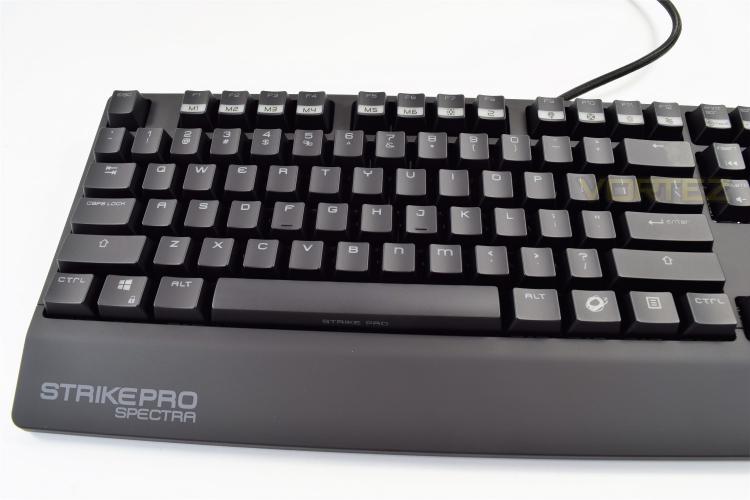
The Strike Pro Spectra uses a unique font on its keycaps, using a combination of upper-case and lower-case. Mainly the M and N that’s most noticeable. The font is a little unorthodox but it provides a sense of character to the keyboard. There’s also the Ozone (function) key, to the right of the space bar, for the array of twin-use keys located all over the keyboard.
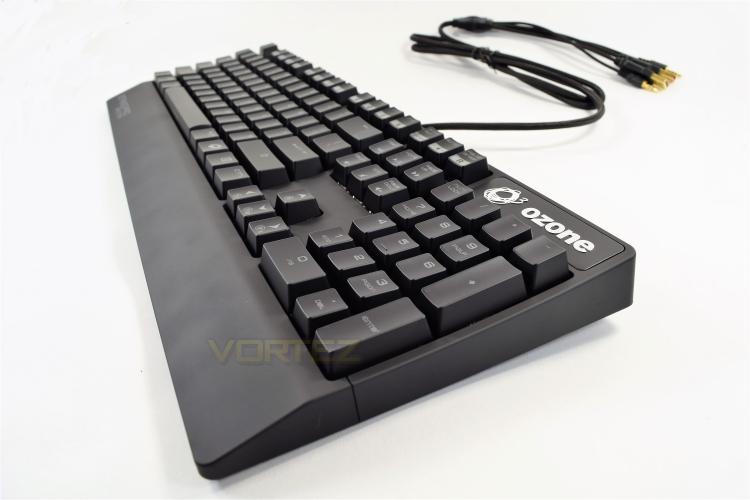
The keyboard gently curves upwards at the top end, resulting in a comfortable typing position, which is further aided by the built in wrist rest. The top end is 30mm from the desk, rising up to 40mm when the riser-legs are extended.
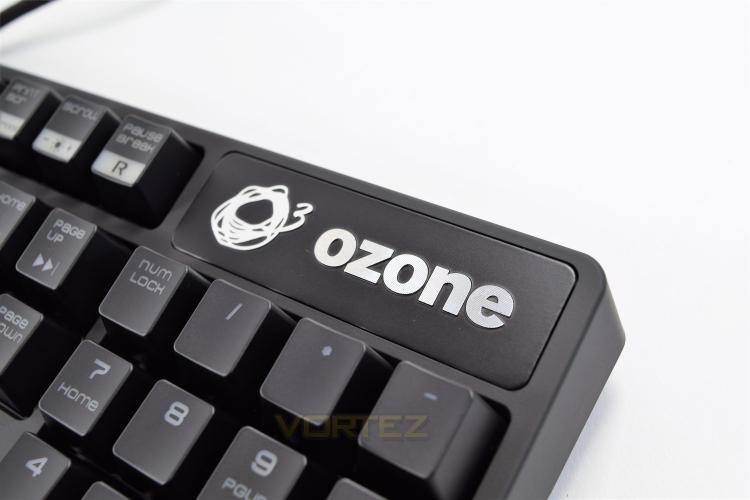
The top isn’t home to any kind of LED display, usually we would find the caps lock, number lock and scroll lock indicators here; instead, Ozone has opted to change the respective key’s LED to white while the function is active.
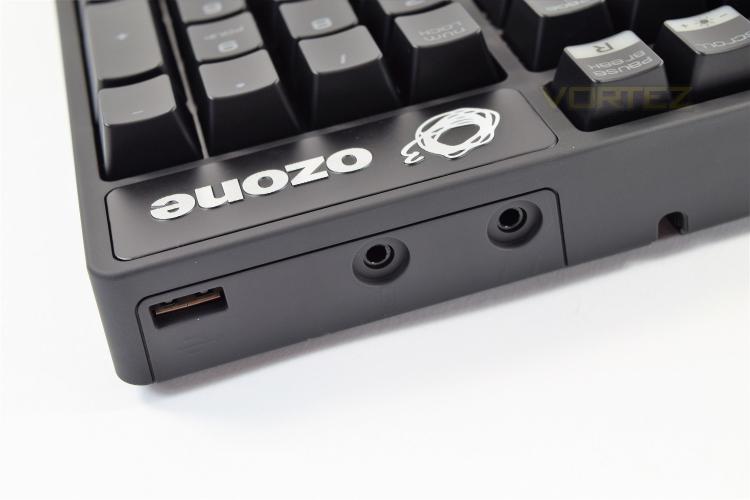
Directly underneath the Ozone logo is the audio/USB hub, offering 2x 3.5mm jacks for a microphone and headset, along with a USB2.0 hub with its own dedicated passthrough jack.
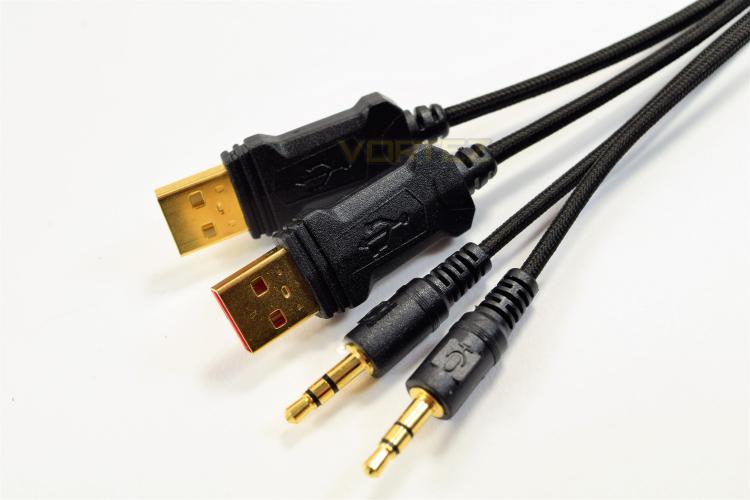
The 1.5M braided cable splits into 4 separate golden connections, 2x 3.5mm audio, for a microphone and headphones, and 2x USB ports. The two USB ports have no identifying features other than the white or red plastic insert (the red passes keyboard data, whereas the white passes the USB hub).
The keyboard gently curves upwards at the top end, resulting in a comfortable typing position, which is further aided by the built in wrist rest. The top end is 30mm from the desk, rising up to 40mm when the riser-legs are extended.
The top isn’t home to any kind of LED display, usually we would find the caps lock, number lock and scroll lock indicators here; instead, Ozone has opted to change the respective key’s LED to white while the function is active.
Directly underneath the Ozone logo is the audio/USB hub, offering 2x 3.5mm jacks for a microphone and headset, along with a USB2.0 hub with its own dedicated passthrough jack.
The 1.5M braided cable splits into 4 separate golden connections, 2x 3.5mm audio, for a microphone and headphones, and 2x USB ports. The two USB ports have no identifying features other than the white or red plastic insert (the red passes keyboard data, whereas the white passes the USB hub).


