
As part of Razer’s evolving plan to use Razer Synapse 3.0, the Atheris is one of few devices that utilises the latest beta version. They do plan to slowly transition all of their products to the latest version but it’s a gradual process.
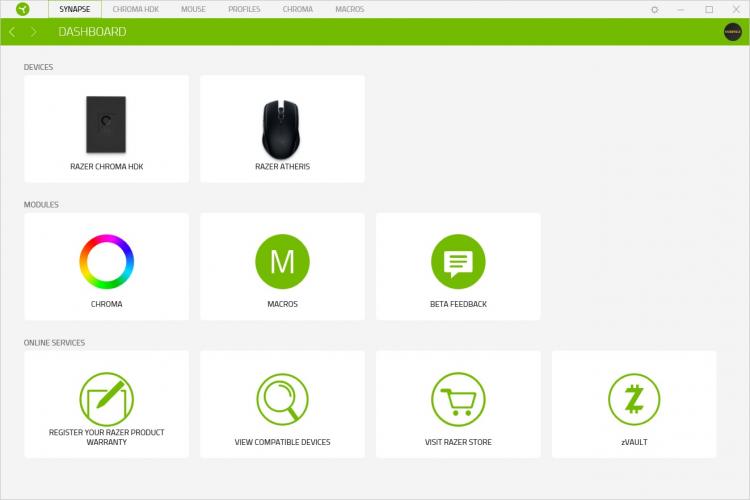
Opening up the software, you’re presented with the dashboard, which shows all compatible devices connected. You can see that we have the Razer Hardware Development Kit and the Atheris plugged in.
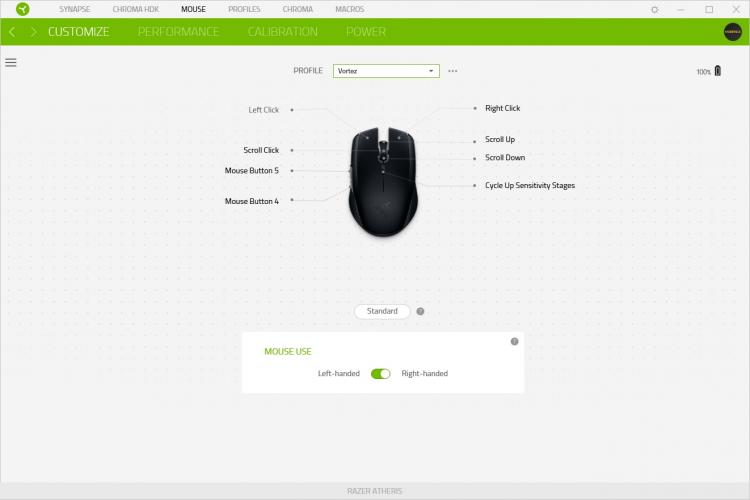
Selecting the Atheris from the dashboard, you’re presented with the customize screen, this allows you to set up custom button-profiles to configure the mouse to your requirements. You can also select right or left-handed usage.
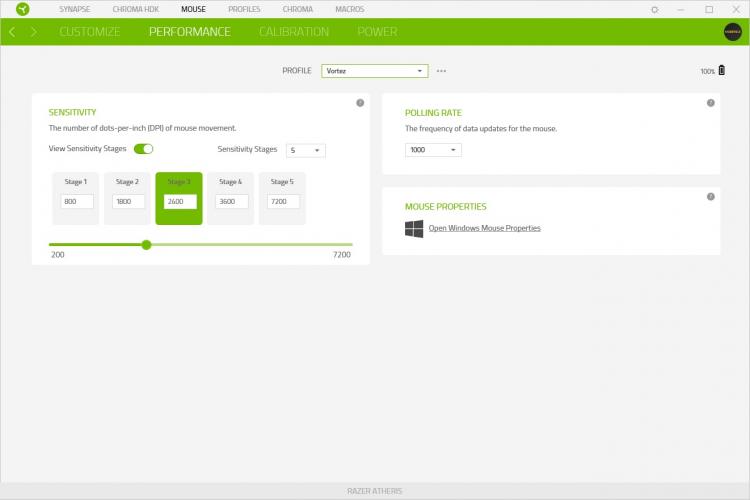
Moving to the next tab, performance is tweaked within this screen. The DPI selection button on the top of the mouse, just behind the scroll wheel, is configured here. You can select between 2 and 5 stages, allowing multiple setups to be loaded onto the mouse. This feature can also be turned off completely if you don’t require the on-the-fly adjustment.
The polling rate can be tweaked here, which may help to conserve battery life if you don’t need the instant response of the 1000Hz updates.
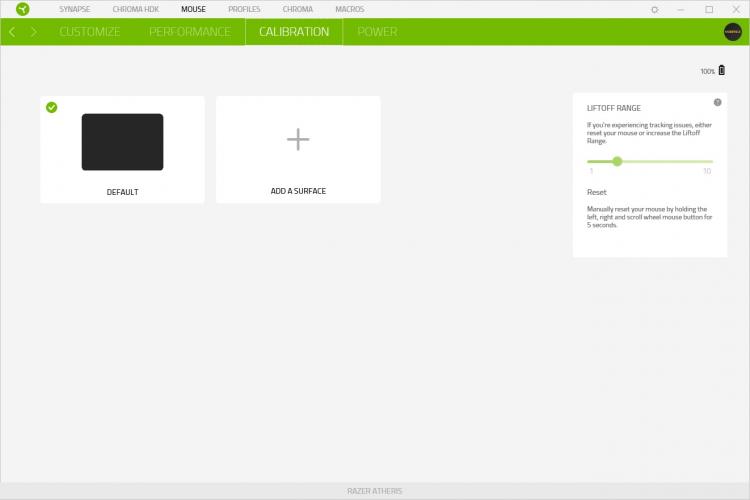
The mouse can be calibrated to the surface if you experience any issues with the current calibration.
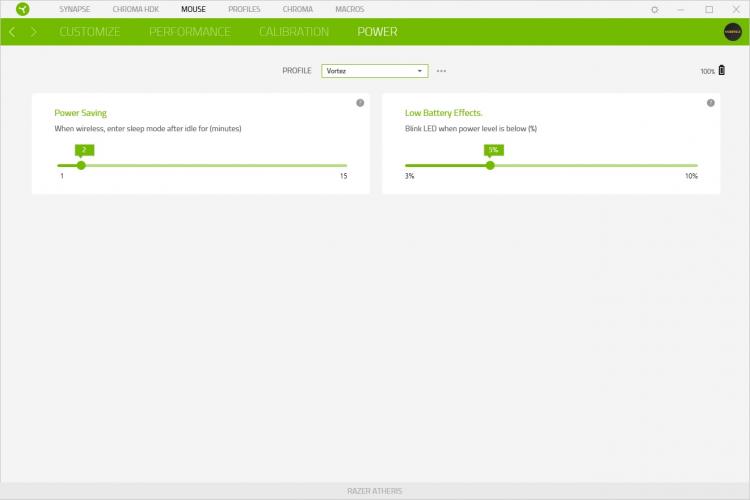
The final page is about saving power, which is obviously fairly important with a wireless device. However, the “when wireless” wording is a little odd, due to the wireless-only communication of this device. This may be a slight oversight due to the wired/wireless nature of the Lancehead, which is the only other mouse that uses Synapse 3.0.
Opening up the software, you’re presented with the dashboard, which shows all compatible devices connected. You can see that we have the Razer Hardware Development Kit and the Atheris plugged in.
Selecting the Atheris from the dashboard, you’re presented with the customize screen, this allows you to set up custom button-profiles to configure the mouse to your requirements. You can also select right or left-handed usage.
Moving to the next tab, performance is tweaked within this screen. The DPI selection button on the top of the mouse, just behind the scroll wheel, is configured here. You can select between 2 and 5 stages, allowing multiple setups to be loaded onto the mouse. This feature can also be turned off completely if you don’t require the on-the-fly adjustment.
The polling rate can be tweaked here, which may help to conserve battery life if you don’t need the instant response of the 1000Hz updates.
The mouse can be calibrated to the surface if you experience any issues with the current calibration.
The final page is about saving power, which is obviously fairly important with a wireless device. However, the “when wireless” wording is a little odd, due to the wireless-only communication of this device. This may be a slight oversight due to the wired/wireless nature of the Lancehead, which is the only other mouse that uses Synapse 3.0.


