
Performance on the other hand is where this mouse excels. Without even touching the software package and configuring custom DPI setting, the smoothness and responsiveness of simply moving the cursor across the screen was impressive in itself. Some mice feel great to use right out of the box and others reach this level after making adjustments through software. The DeathAdder Chroma sits perfectly within the former, something which was pleasing to see.
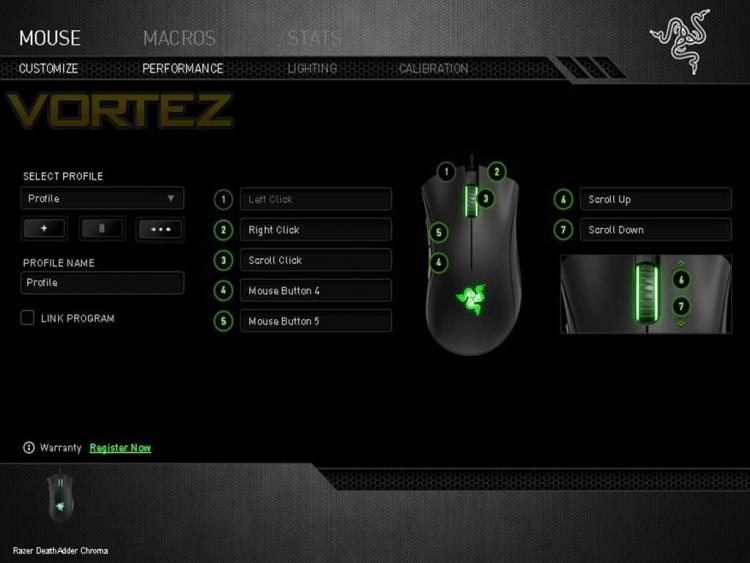
Taking advantage of Razers Synapse 2.0 software package which is available to download through the manufacturers website, gamers will be able to setup custom macro profiles for their games as well as the adjustment of DPI and lighting settings. Basic within its functions and easy to navigate through its simple menus, the design and aesthetics of the software is something that other manufacturers would do well to learn from.

Three menus, simple colouring, and user-friendly. As seen with other software that makes use of additional buttons, macro profiles, lighting and so on. The flashier the design, the more frustrating it is to actually use. There's nothing more irritating than a clunky U.I. that's been swamped in tabs, charts, sliders and the like, that couldn't have been designed in the space of three to five options. Thank you Razer.
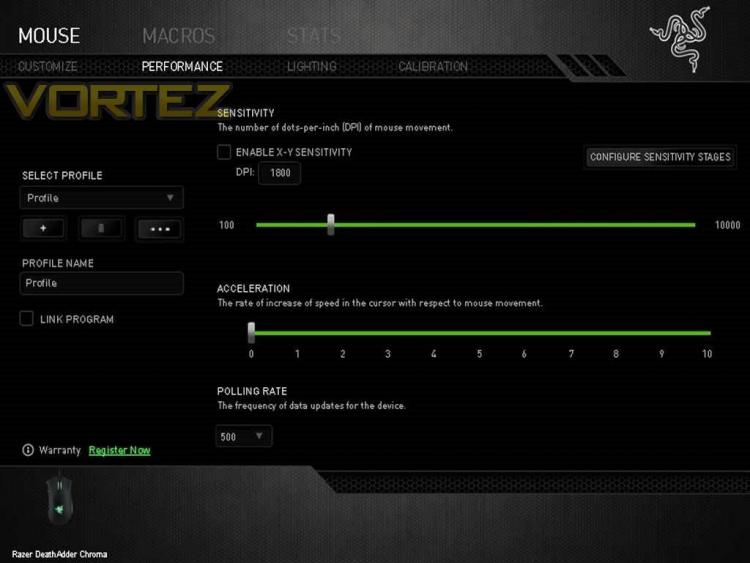
Within these menus owners will be able to tweak the mouse in terms of performance preferences and lighting options. Sensitivity, acceleration, and a frequency polling rate up to 1000Hz. Razer provides the option to configure five stages of sensitivity that can be switched on-the-fly via the use of side buttons. These features can further be extended to different profiles which can be linked to different games and applications.
Taking advantage of Razers Synapse 2.0 software package which is available to download through the manufacturers website, gamers will be able to setup custom macro profiles for their games as well as the adjustment of DPI and lighting settings. Basic within its functions and easy to navigate through its simple menus, the design and aesthetics of the software is something that other manufacturers would do well to learn from.
Three menus, simple colouring, and user-friendly. As seen with other software that makes use of additional buttons, macro profiles, lighting and so on. The flashier the design, the more frustrating it is to actually use. There's nothing more irritating than a clunky U.I. that's been swamped in tabs, charts, sliders and the like, that couldn't have been designed in the space of three to five options. Thank you Razer.
Within these menus owners will be able to tweak the mouse in terms of performance preferences and lighting options. Sensitivity, acceleration, and a frequency polling rate up to 1000Hz. Razer provides the option to configure five stages of sensitivity that can be switched on-the-fly via the use of side buttons. These features can further be extended to different profiles which can be linked to different games and applications.


