
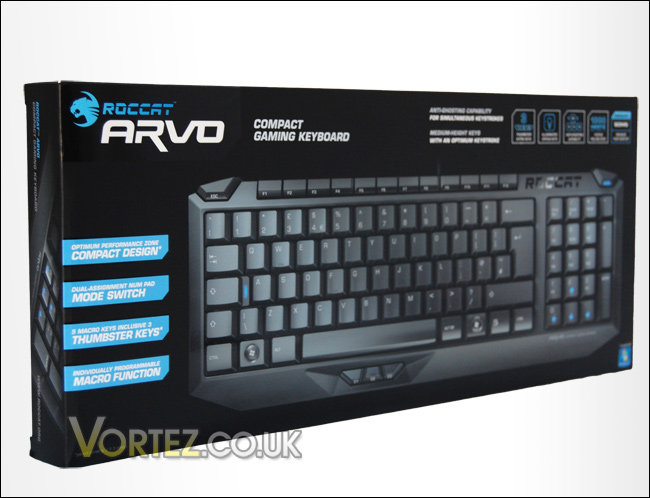
Every ROCCAT product usually arrives in a pleasantly designed box and the Arvo follows this trend. It comes in an attractive box, with an 3d impression of the Arvo on the front. It does a great job in informing you of all the features and on the reverse are further details including two testimonials from pro gamers 'Zonic' and 'Tak3r'.
Inside the box are the following:
• ROCCAT Arvo
• Inari Case Mission Book with ROCCAT ID Card
• Driver CD
• Quick Install Guide
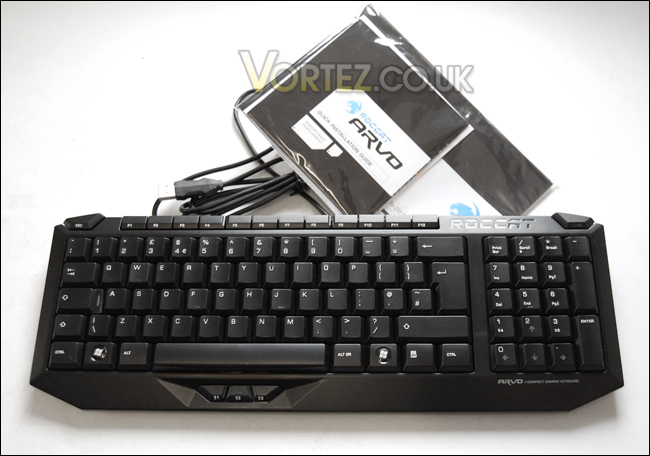
Taking the Arvo out of the box and handling it for the first time makes you aware of just how compact this keyboard really is. Even compared to the slim-line Dell keyboards that are commonly shipped with all of their desktop systems, it takes off a valuable inch or two.
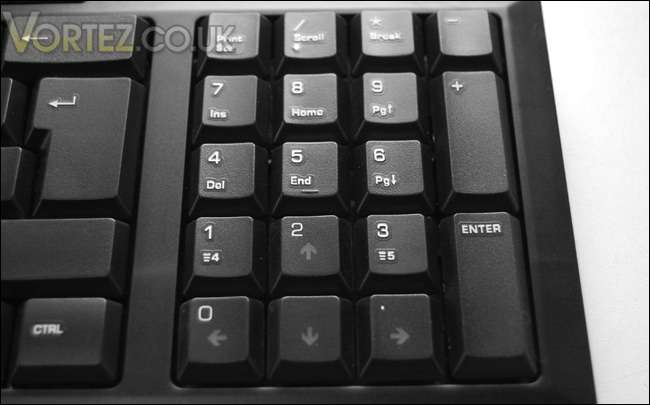
In order for the keyboard to be significantly smaller than the standard keyboard but supply extra keys ROCCAT have put a mode switch button (in the top right corner) that allows you to switch the numpad area to using numbers or arrow keys for gaming. This is indicated by blue LED's that illuminate the arrow keys if you are in gaming mode. By this the Arvo can keep the same amount of buttons as the conventional keyboard but be much smaller in size thus making it a great product to fit into the SDMS (Smart Desktop Management System).
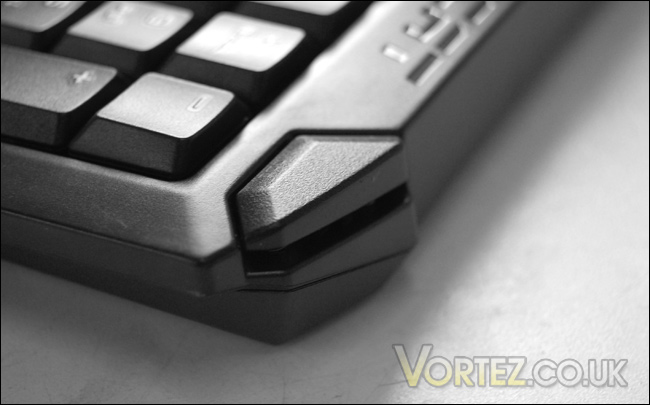
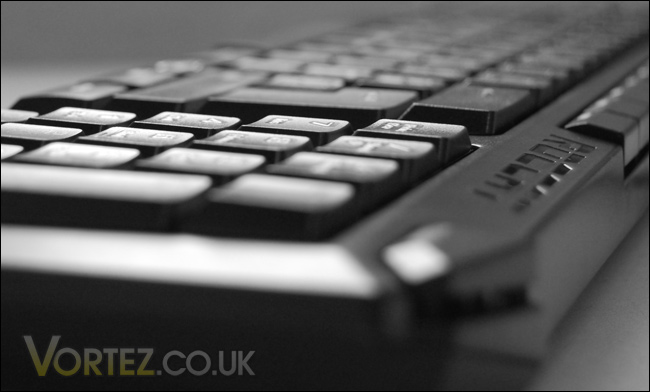
The shape and design of the Arvo is follows a similar design pattern to the Kova. The ESC button has a nicely shaped ergonomic feel to it as do the 'F' buttons, they are nice and short. The only buttons to remain similar in size are the letters themselves, this should allow typing speeds to but unaffected which is great news. Compact keyboards are great in essence but this usually means odd shaped buttons throughout and this affects keyboard typing, but not with the Arvo.
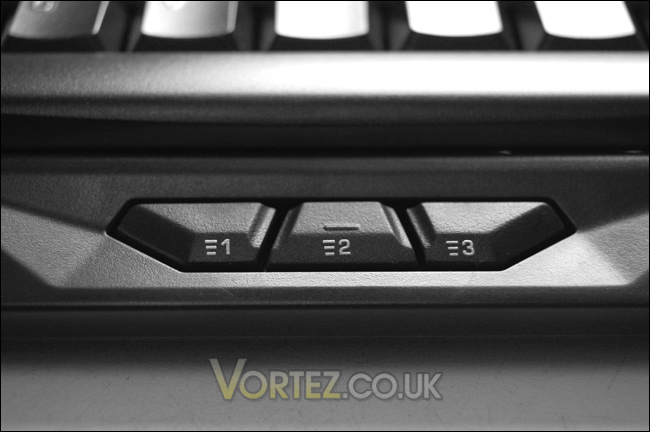
Below the space bar are three 'thumbster' buttons that compliment the other two keys positioned on the 1 and 3 numpad buttons. These buttons can be programmed to perform predefined macros. Due to gamers commonly using WASD for gaming, the thumb is usually positioned over the space bar (jump) so placing buttons near this is a good idea. It keeps everything close and quickly accessible. Later we will be taking a look at the software bundled with the Arvo to see how effective the programming of these buttons is.
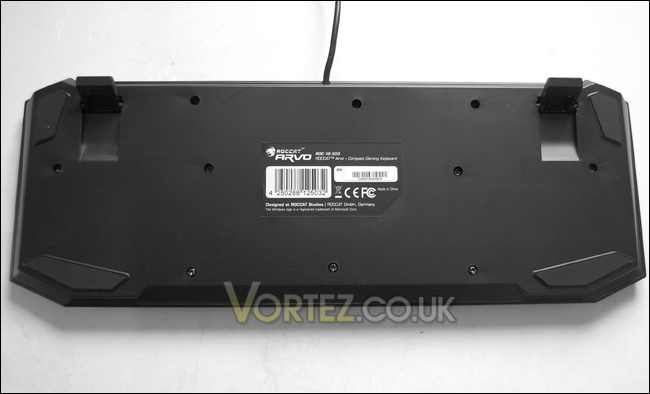
Lastly the underside of the Arvo features soft rubberized pads to prevent the board moving during usage. The two stands that flip out are also coated in this rubber material to add additional support. Overall the quality of this keyboard is very high and it looks and feels excellent. Over the page we will be taking a look at the all important performance of the Arvo.
Inside the box are the following:
• ROCCAT Arvo
• Inari Case Mission Book with ROCCAT ID Card
• Driver CD
• Quick Install Guide
Taking the Arvo out of the box and handling it for the first time makes you aware of just how compact this keyboard really is. Even compared to the slim-line Dell keyboards that are commonly shipped with all of their desktop systems, it takes off a valuable inch or two.
In order for the keyboard to be significantly smaller than the standard keyboard but supply extra keys ROCCAT have put a mode switch button (in the top right corner) that allows you to switch the numpad area to using numbers or arrow keys for gaming. This is indicated by blue LED's that illuminate the arrow keys if you are in gaming mode. By this the Arvo can keep the same amount of buttons as the conventional keyboard but be much smaller in size thus making it a great product to fit into the SDMS (Smart Desktop Management System).
The shape and design of the Arvo is follows a similar design pattern to the Kova. The ESC button has a nicely shaped ergonomic feel to it as do the 'F' buttons, they are nice and short. The only buttons to remain similar in size are the letters themselves, this should allow typing speeds to but unaffected which is great news. Compact keyboards are great in essence but this usually means odd shaped buttons throughout and this affects keyboard typing, but not with the Arvo.
Below the space bar are three 'thumbster' buttons that compliment the other two keys positioned on the 1 and 3 numpad buttons. These buttons can be programmed to perform predefined macros. Due to gamers commonly using WASD for gaming, the thumb is usually positioned over the space bar (jump) so placing buttons near this is a good idea. It keeps everything close and quickly accessible. Later we will be taking a look at the software bundled with the Arvo to see how effective the programming of these buttons is.
Lastly the underside of the Arvo features soft rubberized pads to prevent the board moving during usage. The two stands that flip out are also coated in this rubber material to add additional support. Overall the quality of this keyboard is very high and it looks and feels excellent. Over the page we will be taking a look at the all important performance of the Arvo.


