
For overclocking today's sample we will be using MSI's Afterburner tool as this gives us all of the options we require included the additional voltage controls.

Above is a screenshot of GPU-Z showing the reference (factory overclocked) settings.
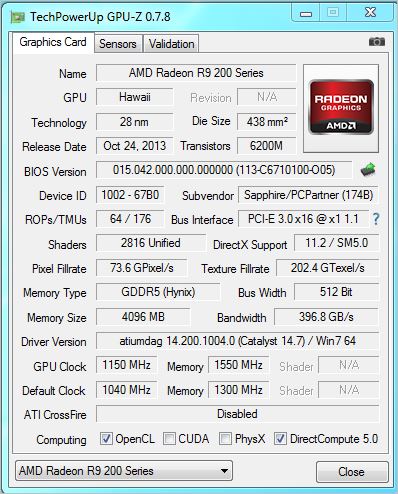
...and manually attained overclock speeds.
Overclocking the Sapphire Tri-X was made all the more easier because of the very good cooling available. Both Core and AUX voltages were available to adjust along with the usual power limit, core clock and memory overclock. By maxing out the voltages and power limit we attained a reasonable 1150MHz on the Core and 1550MHz (6200MHz effective GDDR5 speed) which was very good if a little under what we achieved with the MSI Lightning. That said, the Sapphire is also much cheaper so all things considered we were very impressed with the additional overclocking headroom available.

Above we can see the resulting performance increase of the overclock via Unigine Heaven 4.0.


