
Installation of the Sharkoon Anti Vibe Magnetic is straight-forward: route the cable through a given cable-routing hole of the frame, place two of the fans corners into the silicone frame, and gently pull the frame over the two other corners of the fan.
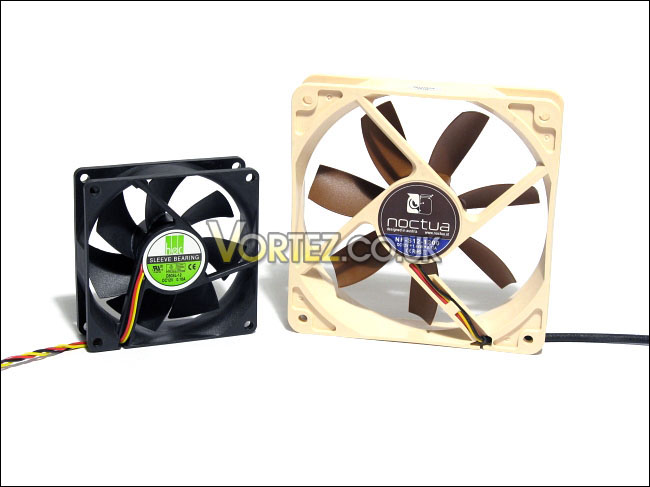
The two tested fans: the Noctua NF-S12-1200 and the HEC D80SL-12
Once installed, the Sharkoon Anti Vibe Magnetic frame held the fan very snugly. At this point, the Anti Vibe Magnetic with an installed fan is placed against a metal panel of a computer case. The Anti Vibe Magnetic attaches itself to a computer case quite confidently. Shacking the computer case roughly should not cause the Anti Vibe Magnetic to detach from the case.
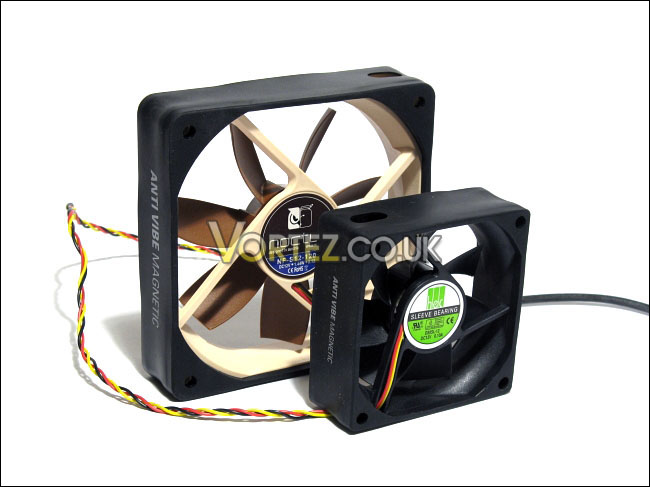
The Anti Vibe Magnetic installed
The frame’s removal from the fan is even easier than the installation seeing as the frame is very flexible. Without a doubt, Sharkoon’s claim that the product is installed rapidly is true.
The two tested fans: the Noctua NF-S12-1200 and the HEC D80SL-12
Once installed, the Sharkoon Anti Vibe Magnetic frame held the fan very snugly. At this point, the Anti Vibe Magnetic with an installed fan is placed against a metal panel of a computer case. The Anti Vibe Magnetic attaches itself to a computer case quite confidently. Shacking the computer case roughly should not cause the Anti Vibe Magnetic to detach from the case.
The Anti Vibe Magnetic installed
The frame’s removal from the fan is even easier than the installation seeing as the frame is very flexible. Without a doubt, Sharkoon’s claim that the product is installed rapidly is true.


