
The SATA QuickPort Pro LAN has a pretty businesslike look with it's matt black exterior, which we are pleased to say doesn't suffer from the 'fingerprint magnet' syndrome of glossy alternatives – an important point seeing as it's going to be well handled through it's life! It's not too heavy, although it is weighty enough that even with a 3.5” desktop drive sticking out of the top it feels very stable and there is minimal vibration or noise in use.
On the top of the unit is of course the flap covering the hard disk slot – the 2.5” smaller slot to the rear is always open as is pretty common with these devices – when using a 3.5” drive the full flap is folded down as the drive is inserted. There is a release latch on the front edge – when you push down on this it engages two small tabs which lift the drive free of the internal SATA data and power connectors allowing for easy removal, although the drive doesn't 'lift' more than a few mm so there is no danger of it falling out of the unit altogether. Finally on top to the right is the power switch having a two stage led which glows blue when switched ON and also red when the drive is being accessed.
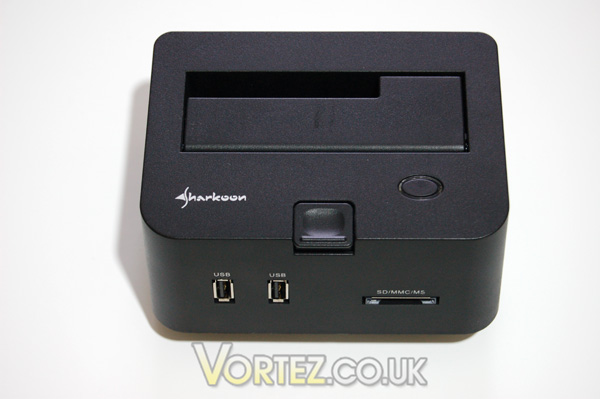
Device top detail
To the front of the unit there are two USB ports and a multi-card reader supporting the SD, SDHC, MMC and MS formats.
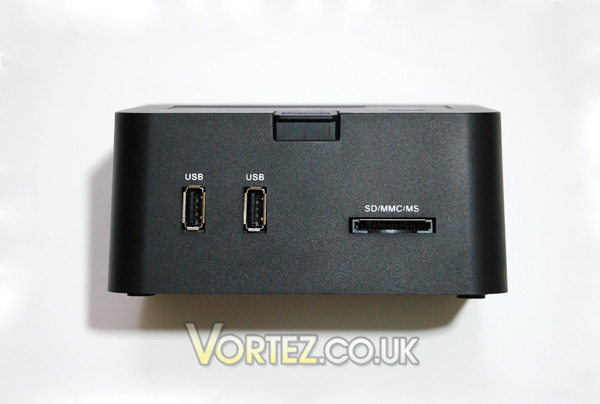
Front connectivity
To the rear are the DC power-in jack, LAN socket (with activity led's), USB and eSATA sockets. There is also a reset switch to be used should the device stop responding.
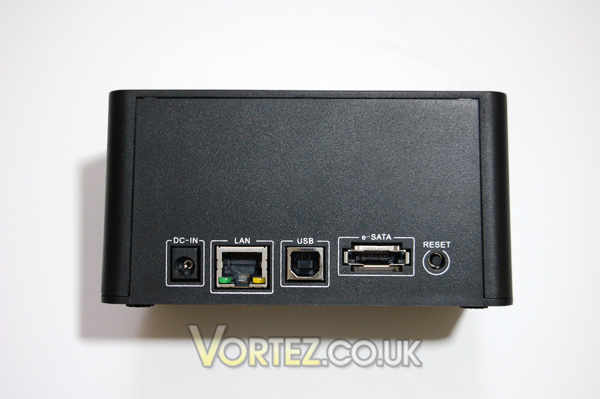
Rear connectivity
So that's a lot of connectivity in one little unit. On the front page of this review we showed the unit populated with a 3.5” desktop drive – here it is with a 2.5” drive, a USB stick and an SD card!
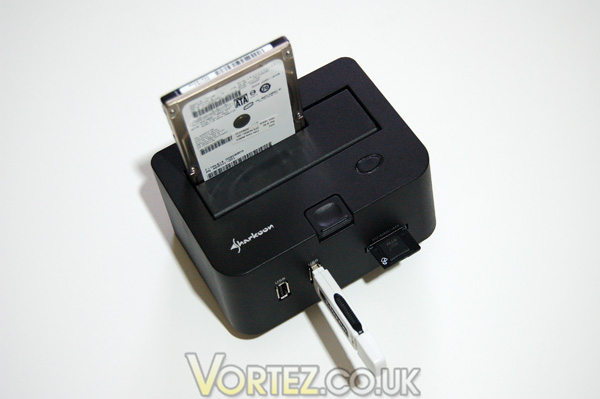
Connectivity central!
So, now we've seen the device let's move on to take a look at some test results.
On the top of the unit is of course the flap covering the hard disk slot – the 2.5” smaller slot to the rear is always open as is pretty common with these devices – when using a 3.5” drive the full flap is folded down as the drive is inserted. There is a release latch on the front edge – when you push down on this it engages two small tabs which lift the drive free of the internal SATA data and power connectors allowing for easy removal, although the drive doesn't 'lift' more than a few mm so there is no danger of it falling out of the unit altogether. Finally on top to the right is the power switch having a two stage led which glows blue when switched ON and also red when the drive is being accessed.
To the front of the unit there are two USB ports and a multi-card reader supporting the SD, SDHC, MMC and MS formats.
To the rear are the DC power-in jack, LAN socket (with activity led's), USB and eSATA sockets. There is also a reset switch to be used should the device stop responding.
So that's a lot of connectivity in one little unit. On the front page of this review we showed the unit populated with a 3.5” desktop drive – here it is with a 2.5” drive, a USB stick and an SD card!
So, now we've seen the device let's move on to take a look at some test results.


