
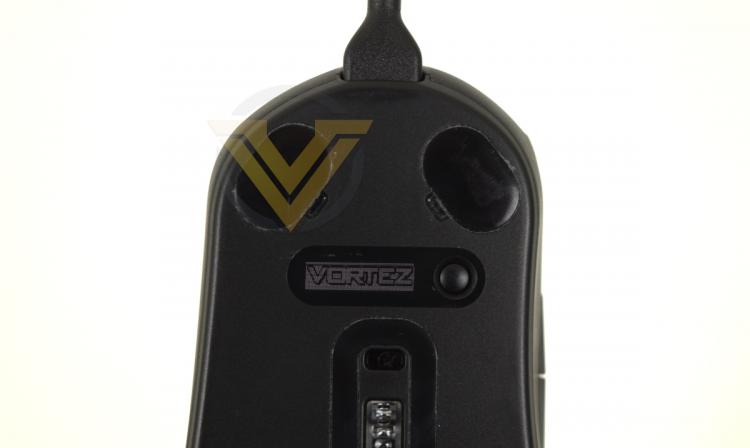
At first blush the PRIME chassis was uncomfortable in the hand, primarily due to the novel contours SteelSeries have shaped the mouse to. It provides relatively little support for the palm and more for just underneath the knuckle, which was a departure the mouse previously used on a daily basis, but also falls off steeply from left to right across the mouse. Any discomfort faded quickly, but it's a testament to a need to push beyond mere first impressions.
The coating SteelSeries chose for the PRIME mice is slightly grippier than we were expecting, making lifting the mouse off the mousing surface easy despite not resorting to a heavily textured finish or acutely angled sides.
As a general office workhouse mouse the PRIME and PRIME+ were fine. Precision was good, and the scroll wheel was stable and reliable throughout. Both LMB and RMB were of course crisp at all times, but that should come as no surprise. Macro functionality was helpful and there were no obvious software incompatibilities to worry about.
TrueMove Pro+ Lift-Off Sensor Issues
It became apparent very early on that the PRIME+’s lift-off sensor was having difficulty operating properly on our preferred mousing surface, a CORSAIR MM350 PRO. Tracking failed when mousing over dark areas of the mat with the lift-off distance toggle enabled, visibly skipping and stopping on screen no matter the distance selected. We had similar issues with CORSAIR’s SABRE RGB PRO prior to a sensory calibration pass, so assumed it might just be the mat. Mousing with the toggle disabled was seemingly unaffected and so the mat was duly swapped. Our subsequent observations were stranger still.
On a CM Storm SPEED-RX S the mouse failed to track at all with the toggle enabled. The same was true on a FUNC Surface 1030 XL and AIVIA Krypton mouse mat (hard and fabric sides). A Creative Sound BlasterX AlphaPad had a similar issue as the MM350 PRO, with tracking failing over a particularly dark section. Surface wear for these mats varied from brand new to heavily used.
Even our wooden veneer desk wasn’t up to standard apparently, but a white sheet of paper was no problem. In fact, the only mat to hand that didn’t exhibit these issues was a well-worn ROCCAT TAITO. Furthermore, even on apparently compatible surfaces the effect of changing lift-off distances was almost imperceptible, making it very much a feature for only the most dialled-in gamer.
With no firmware updates available we were left scratching our heads. SteelSeries recommend a QcK mat for use with their mice and that might just be mandatory if you wish to use this feature on the PRIME+. White or brightly coloured mats should also do the job, but we believe that a predominantly black mat or one with very dark sections will often not be suitable. Worse still, if you the enable lift-off distance sensor and tracking fails you may be unable to turn it off in software, requiring that you resort to the on-board menu to disable it.
We can only assume that a firmware update to address this issue is being worked on because the errant behaviour is so egregious that it can’t have been overlooked. As it stands however, for our sample, this particular feature of the TrueMove Pro+ sensor on the PRIME+ doesn’t appear to be fit for purpose.
With some trepidation we continued our testing.
Apex Legends
The PRIME and PRIME+ are clearly intended as thoroughbred FPS mice given the focus on both sensor accuracy and mouse button consistency, so it will come as no surprise that our first port of call for serious gaming was 2019’s break-out FPS Battle Royale, Apex Legends. The aim was to test the mouse at lower sensitivities, as well as force the tilt-slam interaction that SteelSeries claim is ameliorated with the TrueMove Pro sensor. We’re not FPS experts by any stretch, but can still give this tool a thorough going over.
Perhaps the most significant quality we encountered with both PRIME models was great LMB and RMB consistency. Straight out of the box both were a little harsh perhaps, but that’s not unexpected for any mouse. Deep into testing however, even after battering both buttons with more aggressive usage patterns, both stayed very crisp and exhibited zero wobble either at rest or when fully depressed.
As a default marker assignment in APEX it’s very handy for the middle mouse button to have sensible actuation forces and stability. The mouse wheel on the PRIME series has that in spades - a not too gentle click, and well-separated scroll which means you don’t over-rotate. Perhaps not the best we’ve tested, but certainly up there when it comes to frequent in-game use.
We weren't able to replicated the tilt-slam spin-out effect with either the PRIME or PRIME+ in APEX, despite being able to do so on less advanced mice. While we can't guarantee that the effect isn't present at higher extremes than we could test at, it did seem to us that SteelSeries' new sensor had the problem licked.
A Tortuous Test - Path of Exile
Diablo 3 has made frequent appearances in our mouse tests, but this time around we took our subject out for a spin in GGG’s infamous ARPG between FPS sessions. While not being quite as 'clicky' as Blizzard’s best, mouse precision is rewarded to a greater degree. Plus... it still definitely gives that LMB and RMB a work-out you won’t find in an FPS.
Here both PRIME and PRIME+ once again performed admirably despite racking up the click-count, and proved their precision at high CPI settings. Fast-paced ‘click to move’ actions were accurately registered with no obvious double-clicking, and the button stayed actuated if held for long periods without 'slipping off' its actuation point.
An observation we made of the CORSAIR SABRE RGB PRO was that the mouse itself was almost unwieldy due to its size. The PRIME chassis isn’t that much smaller and weighs effectively the same, but still feels a touch easier to work with, particularly in extended play sessions (as are common with ARPGs)
World of Warcraft - Shadowlands
World of Warcraft remains the world's most well-known MMO, and it gives us a great excuse to try other aspects of the mouse - particularly its macro capabilities and gauging the suitability of the thumb buttons.
First we come to the thumb buttons and unfortunately they’re not great. The back button is fine, but we frequently found the an attempted press of the forward button failed. To be clear it’s not a failure of the hardware or software, but rather a disparity between the feel of the back and forward buttons. The latter seems to require fractionally more movement to actuate, and that’s enough to throw you off. It may be that with sufficient muscle memory built up the issue diminishes, but it was still a factor after well over 10 hours of play.
As we mentioned, the mouse’s macro feature is trivially easy to use, either through the quick record section or the more comprehensive Macro Editor. Many MMOs and RPGs - WoW included - incorporate their own macro and individual keybinding system, but having a well appointed hardware or driver-level alternative is an excellent fall-back position if the game in question doesn’t allow it. Older titles, and potentially console ports, are prime examples.
When judged side-by-side, the PRIME and PRIME+ both performed very well in their given rolls, excelling as FPS-oriented tools beyond all else. The PRIME therefore is the preferred of the two - it's slightly lighter and cheaper option that doesn't include the feature the PRIME+ had difficulty in pulling off. Competitive gamers at tournaments might prefer the OLED-equipped PRIME+ due to on-board customisation capabilities, but most users won't be in that elite class.


